> For the complete documentation index, see [llms.txt](https://ai-security-docs.akto.io/llms.txt). Markdown versions of documentation pages are available by appending `.md` to page URLs; this page is available as [Markdown](https://ai-security-docs.akto.io/akto-argus-agentic-ai-security-for-homegrown-ai/connectors/mcp-import.md).
# MCP Import
## Overview
Akto now supports direct import of **MCPs** (tools, resources, and prompts) into **MCP Inventory** via **Connectors**. With just your SSE endpoint URL, you can auto-discover all active MCP tools, resources, and prompts; no manual setup required.
## What You Need
* **MCP SSE Endpoint URL** (e.g., ends with `/sse`)
* **(Optional) Authorization headers** – only if your MCP server requires them:
```
Header Key: Authorization
Header Value: Bearer
```
## Steps to Import
{% stepper %}
{% step %}
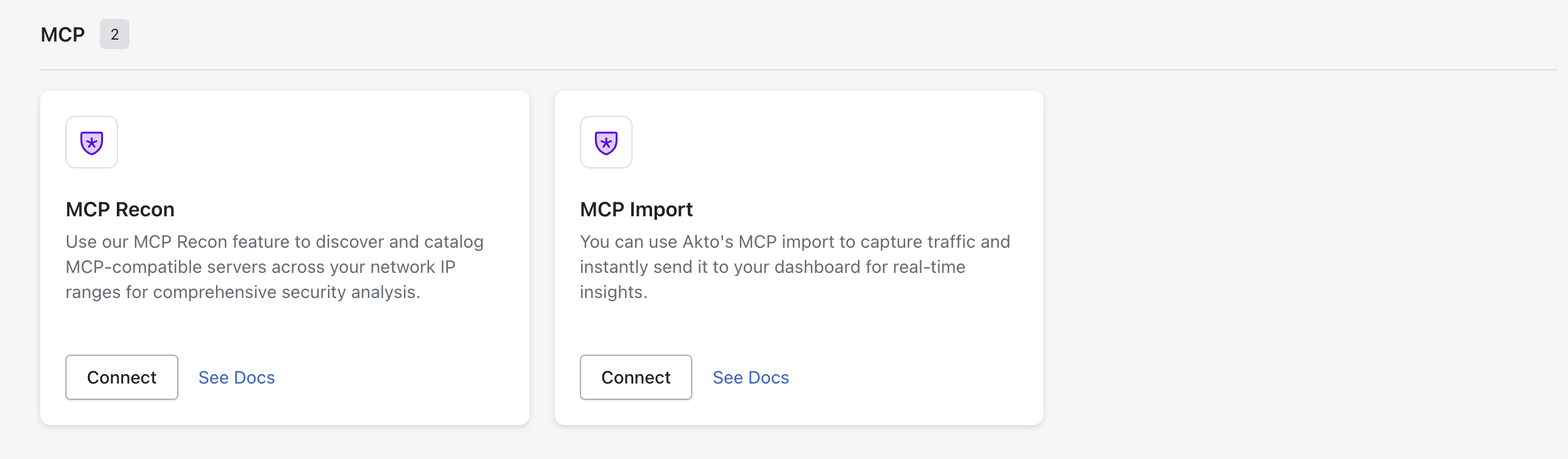
*Open* **Akto Argus Dashboard** *→ Go to Connectors.*
{% endstep %}
{% step %}
Select **MCP Import.**
{% endstep %}
{% step %}
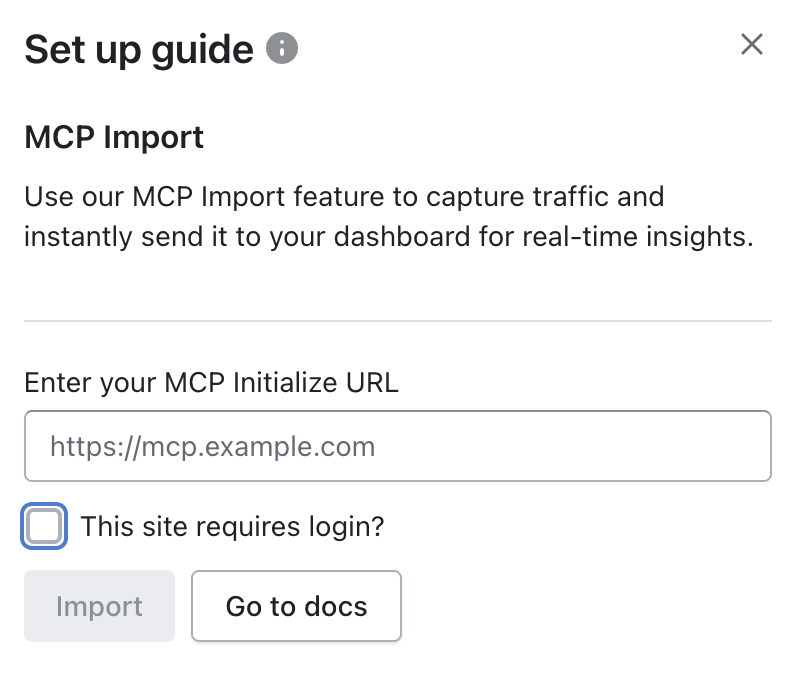
**Fill in MCP Initialize URL**
* SSE Endpoint URL: e.g., `https://mcp.example.com/sse`
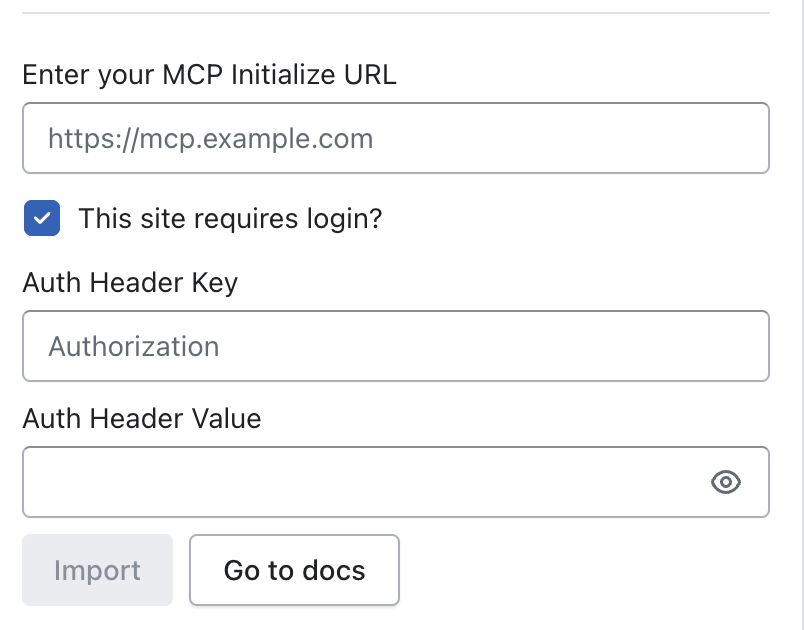
* If your MCP server is secured, choose the `This site requires login?` tick box.
{% endstep %}
{% step %}
**Fill in the Authentication Credentials (Optional)**
Enter the following details:
* *(Optional)* Add Auth Headers:
```
Header Key: Authorization
Header Value: Bearer your-token
```
{% hint style="info" %}
**Example With Authorisation**
```
SSE Endpoint URL: https://mcp.example.com/sse
Header Key: Authorization
Head
```
{% endhint %}
{% endstep %}
{% step %}
**Click Import**
Akto will then:
* Start listening to the SSE stream
* Scan events like `tool_call`, `resource_call`, and `prompt_response`
* Auto-register all observed MCP endpoints
{% endstep %}
{% endstepper %}
## What Gets Imported?
Akto will detect and add:
* All **tool endpoints** (`/v1/tools/...`) → tagged as `mcp-tools`
* All **resource endpoints** (`/v1/resources/...`) → tagged as `mcp-resources`
* All **prompt endpoints** (`/v1/prompts/...`) → tagged as `mcp-prompts`
These will appear in **MCP Inventory**, ready for monitoring and scanning.
{% hint style="success" %}
**Security**
* Auth headers (if any) are used **only once** during import and are **not stored**
* Akto uses **read-only access** to your SSE stream
{% endhint %}
#### Get Support for your Akto setup
There are multiple ways to request support from Akto. We are 24X7 available on the following:
1. In-app `intercom` support. Message us with your query on intercom in Akto dashboard and someone will reply.
2. Join our [discord channel](https://www.akto.io/community) for community support.
3. Contact `help@akto.io` for email support.
4. Contact us [here](https://www.akto.io/contact-us).