AI Model Security
Overview
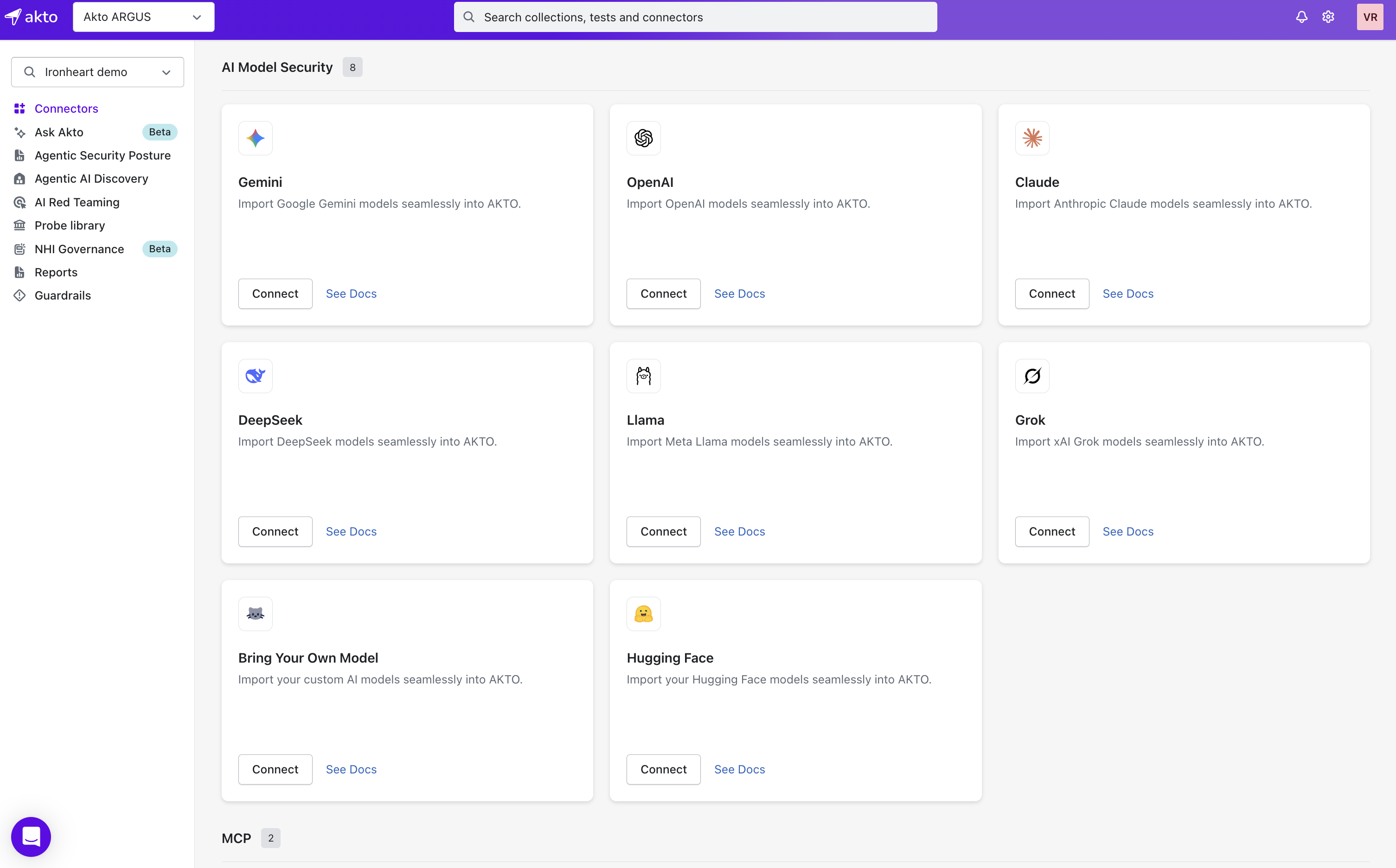
Akto lets you seamlessly import AI models like Gemini, OpenAI, Claude, DeepSeek, Llama, Grok, or even your custom model into AI Model Security. With just your model’s endpoint URL and optional authentication, you can start monitoring and testing instantly.

Supported Models
Gemini – Import Google Gemini seamlessly
OpenAI – Import OpenAI models seamlessly
Claude – Import Anthropic Claude seamlessly
DeepSeek – Import DeepSeek seamlessly
Llama – Import Meta Llama seamlessly
Grok – Import xAI Grok seamlessly
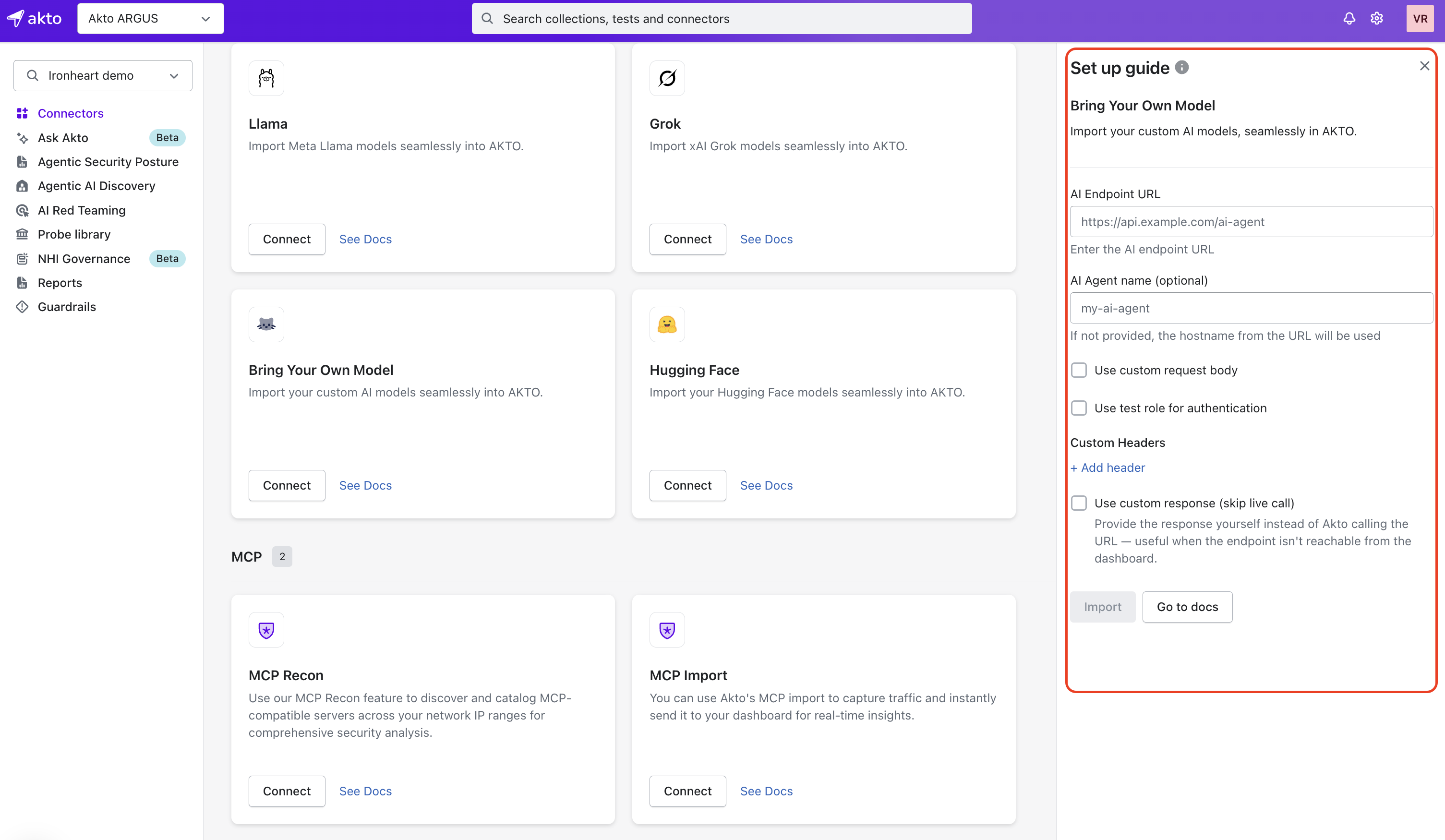
Bring Your Own Model – Import custom AI models seamlessly
What You Need
AI Endpoint URL (e.g.,
https://api.example.com/ai-agent)(Optional) Authentication details if your AI model requires them
(Optional) Custom request body for models that need non-standard inputs
Steps to Import
Open Akto Argus Dashboard → Go to Connectors
Select your AI model provider (Gemini, OpenAI, Claude, DeepSeek, Llama, Grok, or Bring Your Own Model) under AI Model Security section.
Click Connect.

Fill in model details:
AI Endpoint URL: e.g.,
https://api.example.com/ai-agent(Optional) Enable custom request body if the model requires non-default payloads
(Optional) Use test role for authentication if your AI model enforces role-based access

Click Import.
Akto will now automatically:
Connect to the AI model endpoint
Validate request/response format
Add the model into AI Model Security Inventory for monitoring and testing
Akto Access Scope
Auth tokens/headers (if used) are only applied during import and are not stored
Akto uses read-only access to interact with your AI endpoint
Get Support for your Akto setup
There are multiple ways to request support from Akto. We are 24X7 available on the following:
In-app
intercomsupport. Message us with your query on intercom in Akto dashboard and someone will reply.Join our discord channel for community support.
Contact
[email protected]for email support.Contact us here.
Last updated