> For the complete documentation index, see [llms.txt](https://ai-security-docs.akto.io/llms.txt). Markdown versions of documentation pages are available by appending `.md` to page URLs; this page is available as [Markdown](https://ai-security-docs.akto.io/alerts/alerts-testing-results.md).
# Setup alerts for Scan run results
You can setup alerts for Akto scan run results by following the steps given below:
1. Configure alerts. You can configure [Slack Webhook](/alerts/slack-webhook.md) or [Microsoft Teams Webhook](/alerts/microsoft-teams-webhook.md) according to your requirement.
2. Once configured, in the `Run Scan` dialog box, select the option to send alerts for scan results.
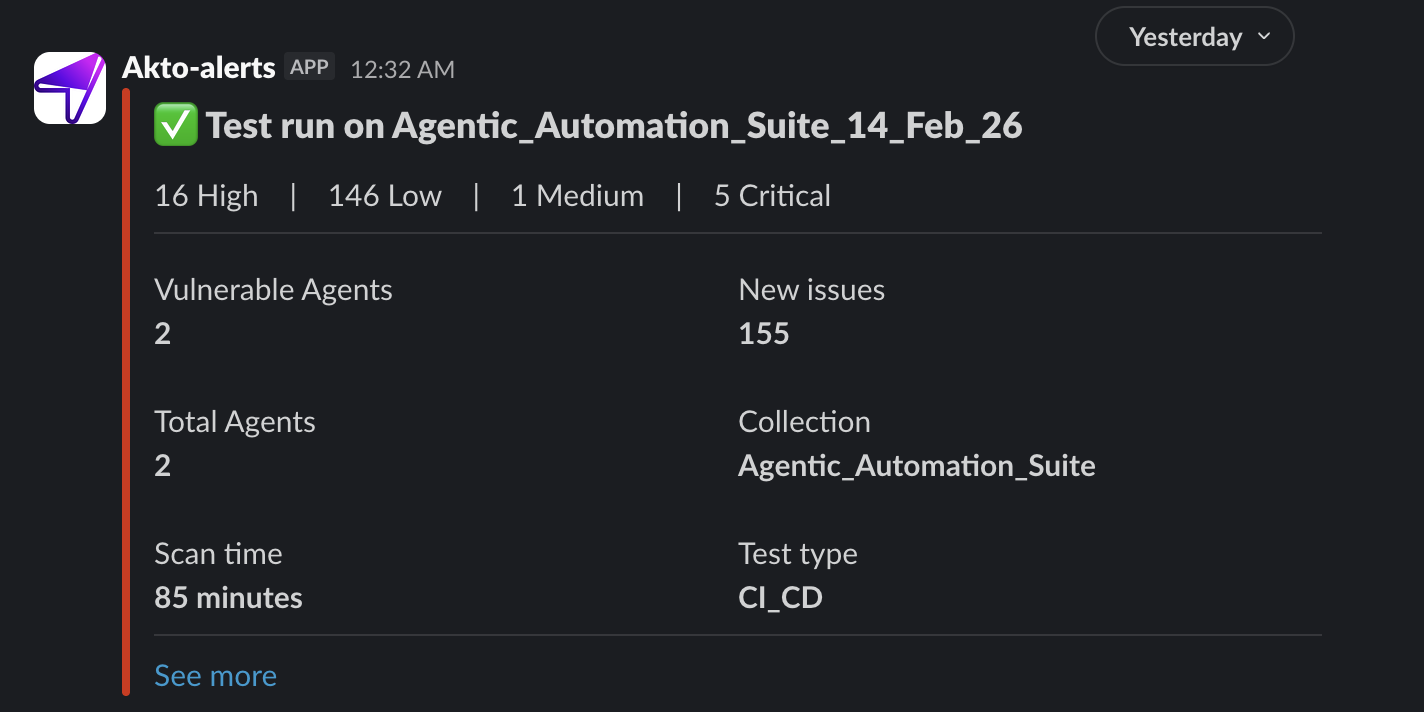
3. Voila you have configured scan alerts. Once the scan are completed, you will receive scan run summary directly in your preferred medium.
### Reminders for Scheduled Scans
Akto also supports **reminder alerts** to help you stay prepared for upcoming scheduled scans. By enabling the **Pending scan alerts** option in the Webhook settings, you will receive a notification **one hour before** any scheduled scan is set to run. This ensures your team is aware and can take any necessary preparatory actions before the security scan begins.
## Get Support for your Akto setup
There are multiple ways to request support from Akto. We are 24X7 available on the following:
1. In-app `intercom` support. Message us with your query on intercom in Akto dashboard and someone will reply.
2. Join our [discord channel](https://www.akto.io/community) for community support.
3. Contact `help@akto.io` for email support.
4. Contact us [here](https://www.akto.io/contact-us).

%20(1)%20(1)%20(1)%20(1)%20(1)%20(1)%20(2).png?alt=media)