For the complete documentation index, see llms.txt. This page is also available as Markdown.

Violations

Overview

The Violations page provides a unified view of all policy breaches raised against Non-Human Identities in your organisation. It enables you to monitor violation trends, assess severity distribution, and manage each breach from detection through to resolution from a single interface.

Key Metrics

Two charts at the top of the page give you an at-a-glance picture of your NHI violation posture.

Violations Over Time

A line chart showing the total number of violations detected across the selected time window. Use this to spot spikes in new violations and track whether your remediation efforts are reducing the open count over time.

Violations by Severity

A donut chart breaking down all violations by severity level Critical, High, Medium, and Low. This helps you quickly understand the risk profile of your current violation backlog and prioritise which identities need attention first.

Violations Table

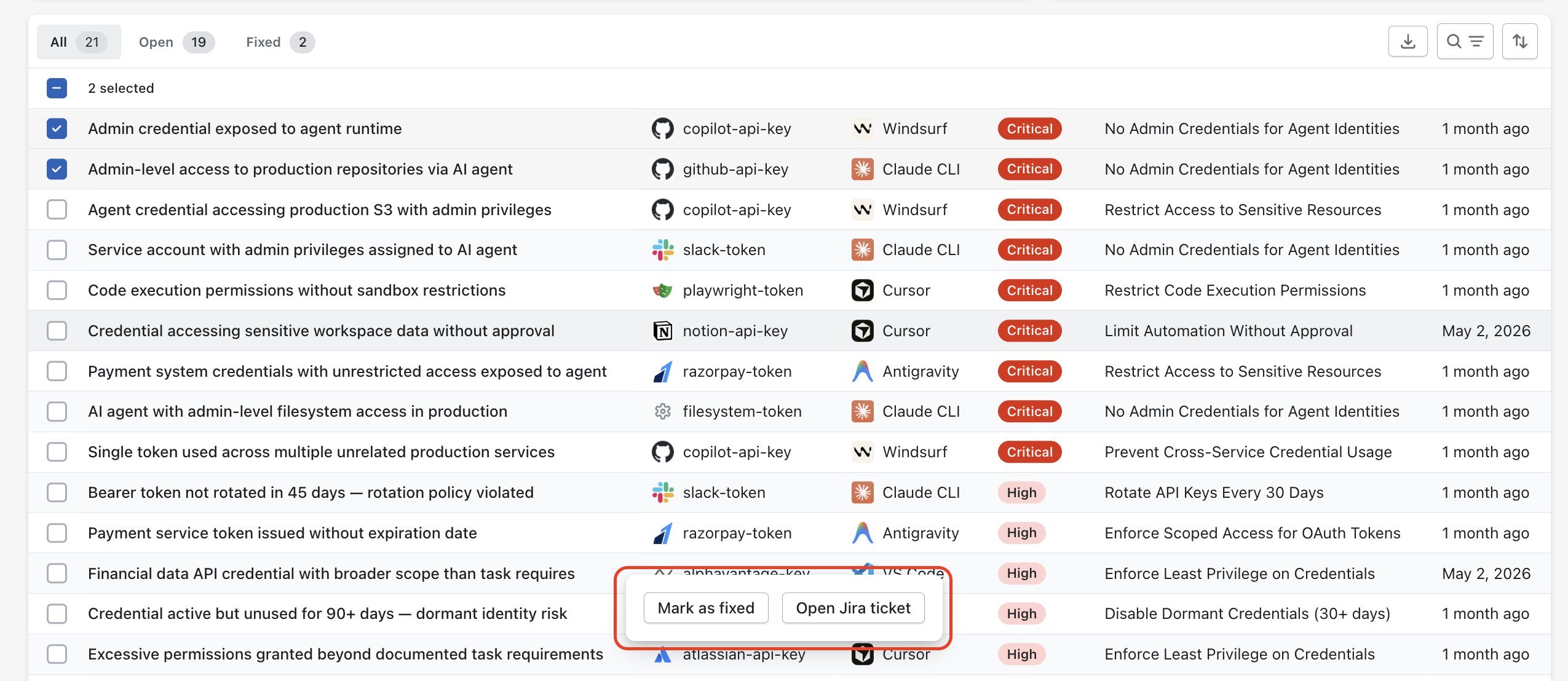
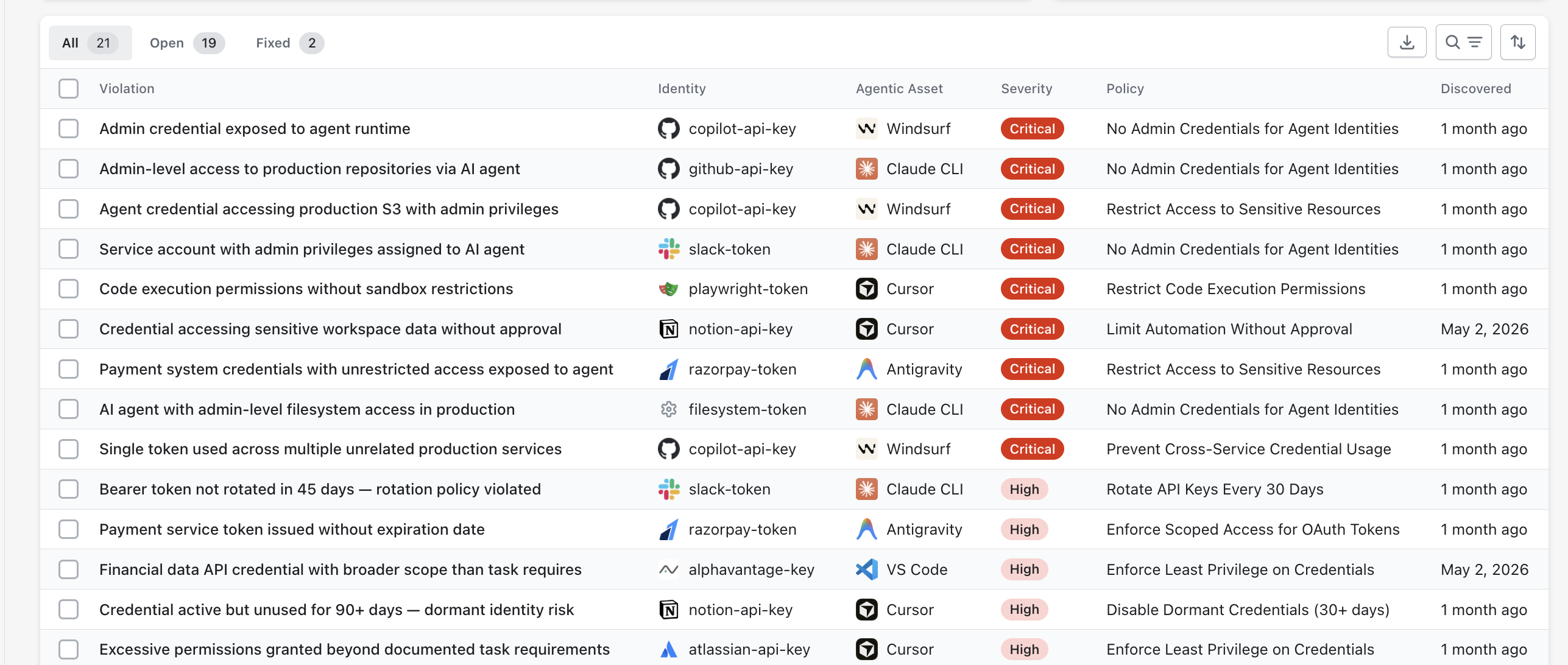
The table lists every violation raised across all NHIs.

Column
Description

Violation

A plain-language description of the specific breach

Identity

The NHI the violation is attached to

Agentic Asset

The agentic tool associated with the identity at the time of the breach

Severity

The risk level Critical, High, Medium, or Low

Policy

The policy rule that was breached

Discovered

When Akto first raised this violation

Filters

Use the filter tabs at the top of the table to narrow the view:

  • All every violation regardless of status.

  • Open violations that have not yet been resolved.

  • Fixed violations that have been marked as fixed.

Use the time filter at the top-right of the page to scope the violation list and charts to a specific time window.

Search and Sort

Use the search and filter icons at the top-right of the table to filter violations by identity, agentic asset, severity, or policy. Use the sort icon to re-order by any column.

Take Bulk Action

You can act on multiple violations at once without opening each one individually.

1

Select violations using the checkbox at the start of each row. A selection count appears above the table (e.g. 2 selected).

2

A bulk action bar appears at the bottom of the table with the following options:

  • Mark as Fixed resolves the selected violations and moves them to the Fixed tab.

  • Open Jira Ticket creates a Jira ticket for each selected violation to support internal tracking and remediation workflows.

Violation Details

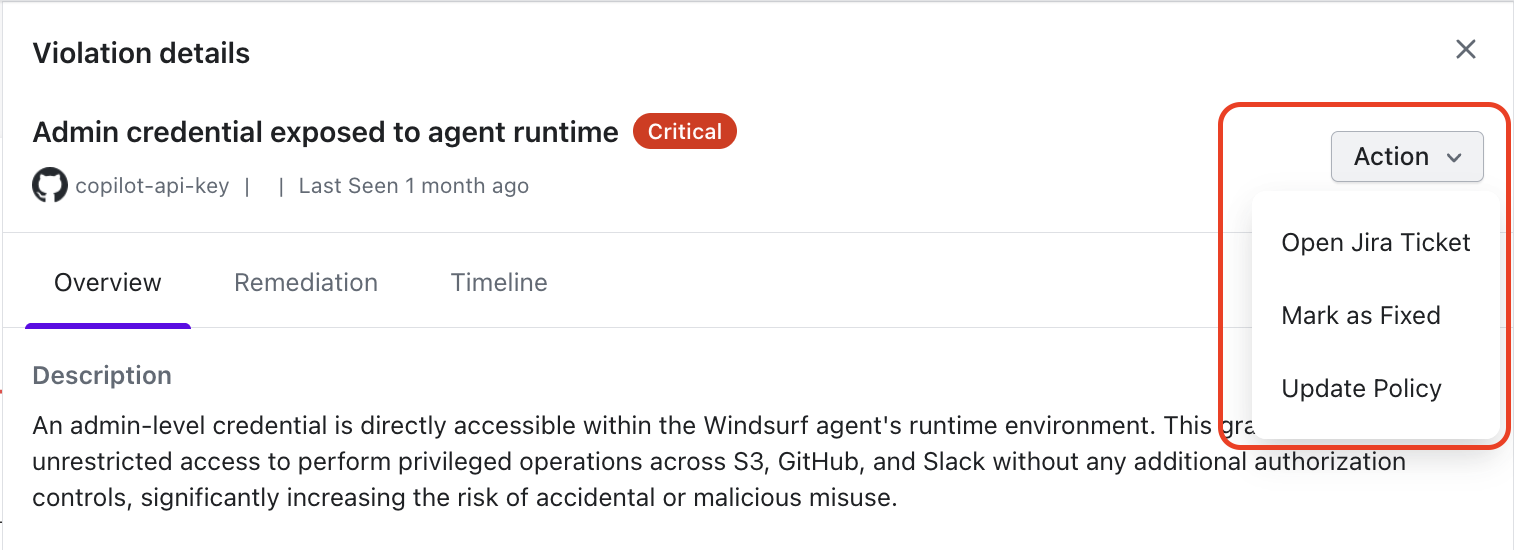
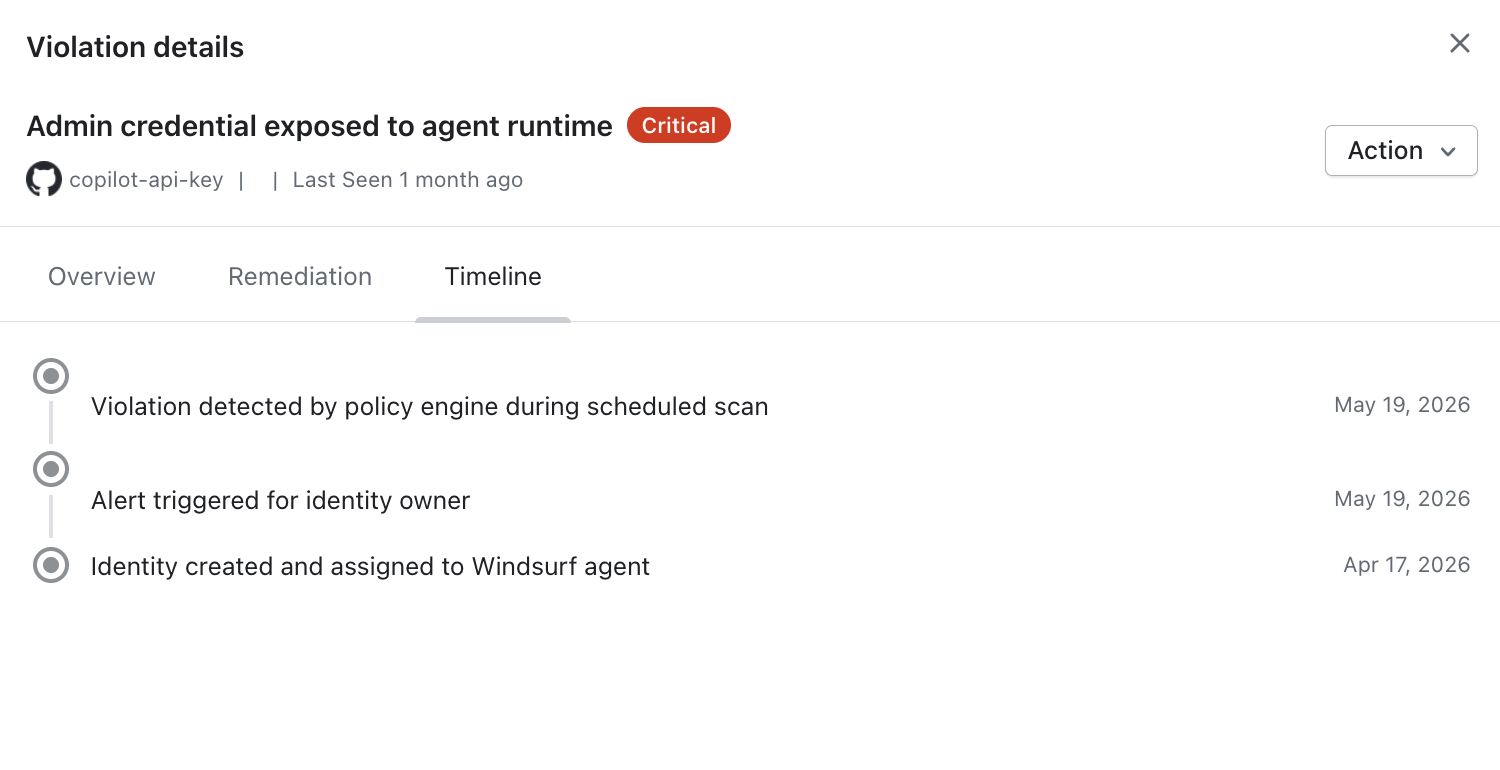
Clicking any row opens the Violation Details panel. The panel header shows the violation name, its severity badge, the identity it is attached to, and when it was last seen. An Action button in the top-right corner lets you act on the violation without leaving the panel.

Actions

Expanding the Action dropdown gives you three options:

  • Open Jira Ticket creates a Jira issue for this violation to track remediation in your existing workflow.

  • Mark as Fixed resolves the violation and moves it to the Fixed tab. Use this once the underlying credential issue has been remediated.

  • Update Policy navigates directly to the policy that triggered this violation so you can adjust its rules if needed.

Violation Detail Tabs

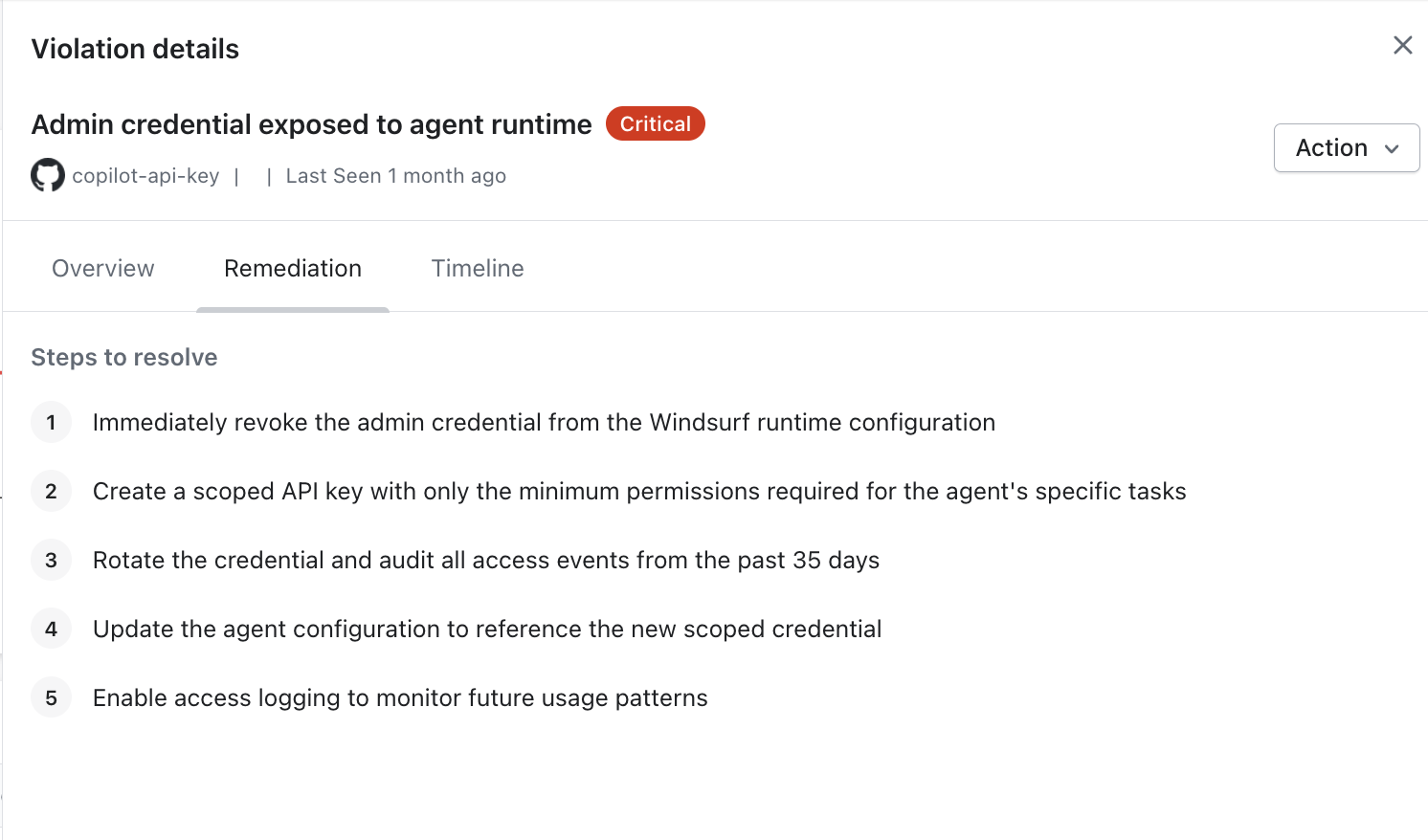
The panel is organised into three tabs.

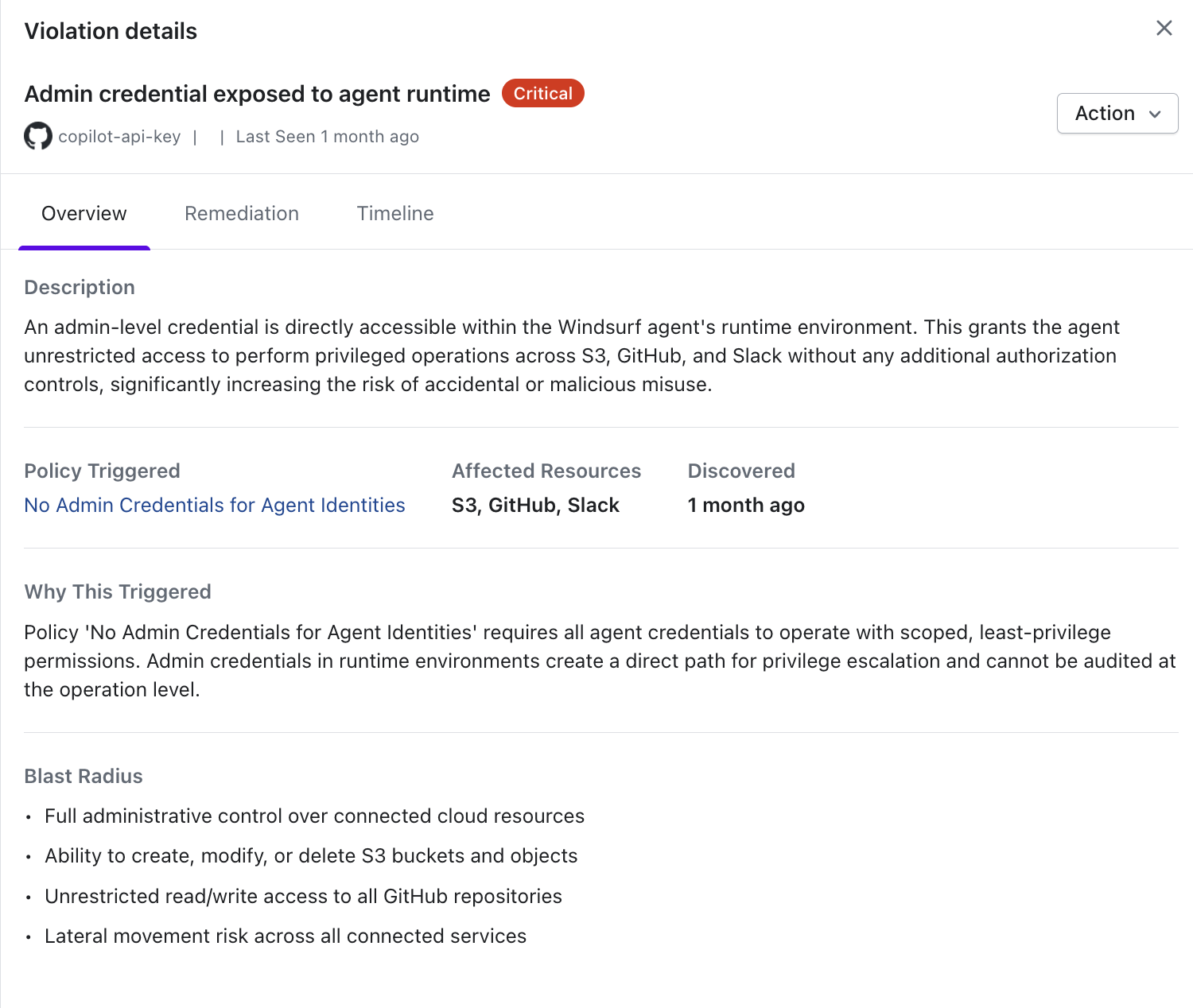
The Overview tab provides the full context needed to understand and prioritise the violation.

  • Description

    A plain-language explanation of what was detected for example, which credential has which permission level on which service, and why that is a risk.

  • Policy Triggered

    The name of the NHI policy whose rule was breached, linked directly to the policy configuration.

  • Affected Resources The downstream services exposed by this violation (e.g. GitHub Repos, GitHub Actions, AWS S3).

  • Discovered The timestamp when Akto first raised this violation.

  • Why This Triggered An explanation of the specific condition that caused the policy rule to fire for example, why the credential's scope violates the policy's intent.

  • Blast Radius A bulleted list of the potential consequences if the credential were compromised or misused, scoped to the actual permissions it holds.

What Next

After resolving a violation, review the Create NHI Policies page to tighten the policy rules that triggered it, or check the Identities view to disable a credential that has been decommissioned.

Last updated