> For the complete documentation index, see [llms.txt](https://ai-security-docs.akto.io/llms.txt). Markdown versions of documentation pages are available by appending `.md` to page URLs; this page is available as [Markdown](https://ai-security-docs.akto.io/akto-atlas-agentic-ai-security-for-employee-endpoints/ai-agent-activity/view-endpoint-shield-details.md).
# Endpoint Shield Details
## Overview
The Endpoint Shield page shows you every protected endpoint and gives you a clear view of agent activity, deployment status, and shielded MCP servers.
## Accessing Endpoint Shield
Navigate to **Agentic Discovery ->** **Endpoint Shield** in the left sidebar to view your complete agent inventory across all employee devices.
## Agent List
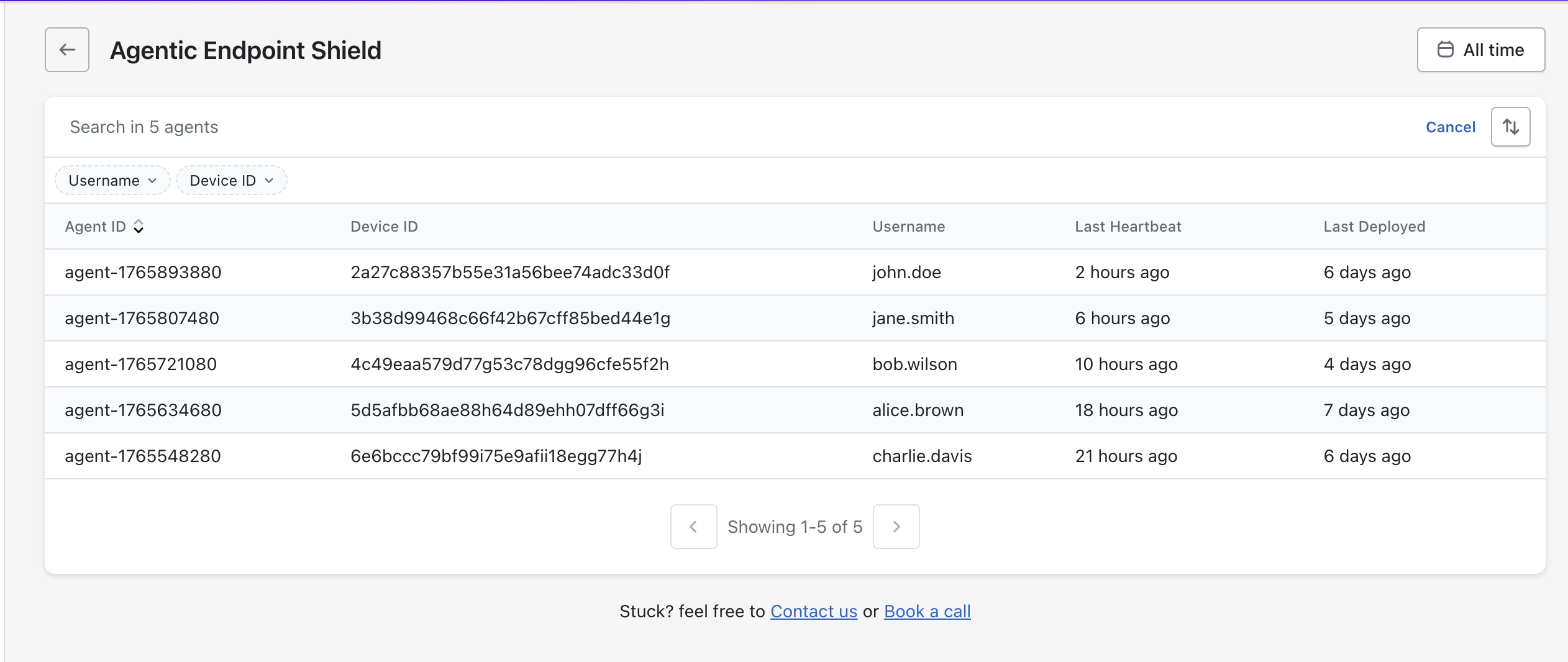
The Agent List displays all endpoints where the shield is active. Each row contains:
| Column | Description |
| ------------------ | -------------------------------------------------------------------- |
| **Agent ID** | Unique identifier of the shielded agent running on the endpoint. |
| **Device ID** | Device identifier of the machine where the agent is deployed. |
| **Username** | User associated with the device on which the agent is installed. |
| **Last Heartbeat** | Timestamp of the most recent health check sent by the agent. |
| **Last Deployed** | Timestamp showing when the latest shield configuration was deployed. |
You can select any Agent ID to view deeper information.
## Agent Details Drilldown
When you click an **Agent ID**, you see two tabs that help you understand what is running on that endpoint.
### User Analysis
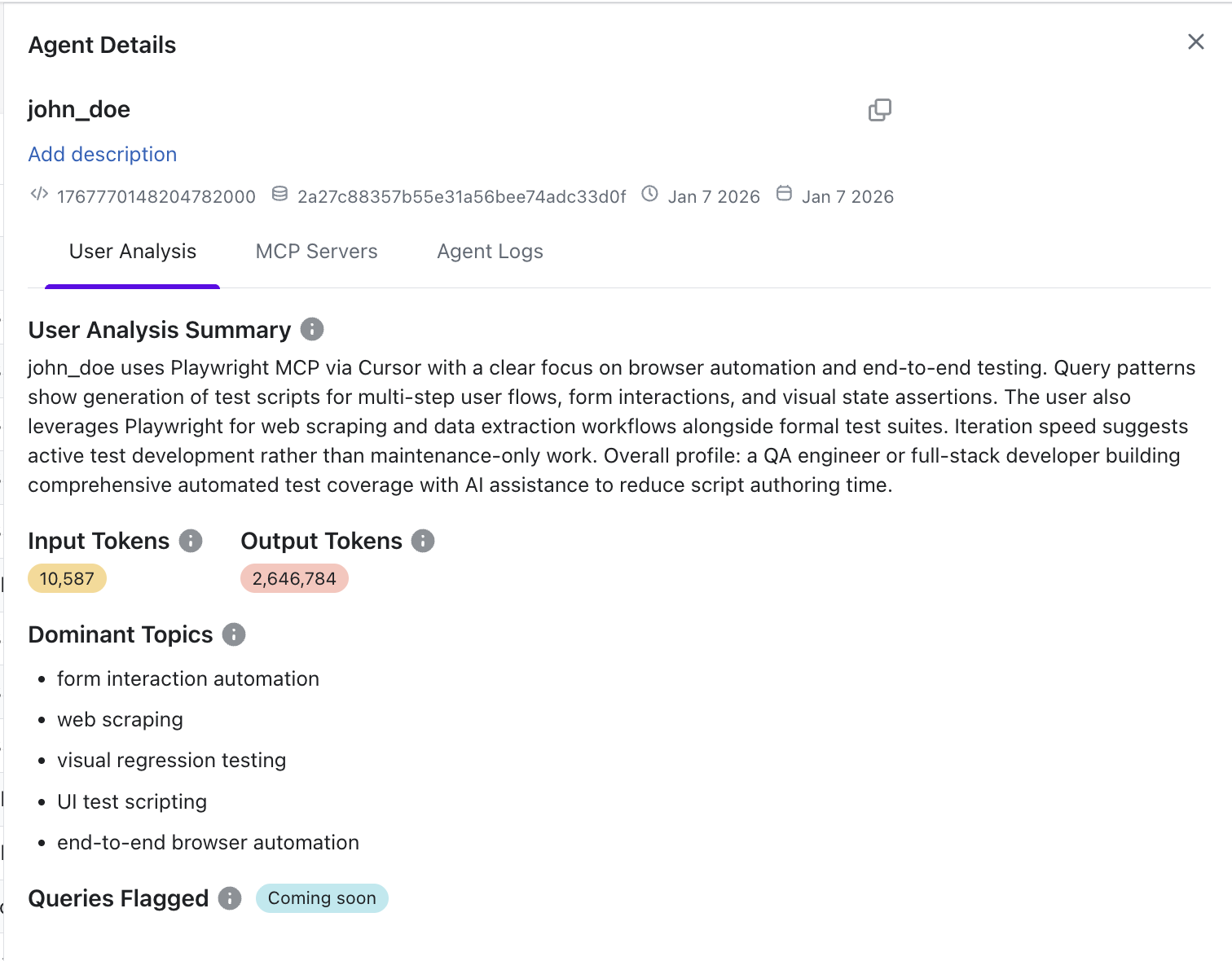
The **User Analysis** helps you understand how a specific user is interacting with an AI agent on their endpoint. It gives you deeper visibility into user behaviour so you can quickly identify unusual activity and assess potential risks.
Here, you can:
* **View User Analysis Summary**\
Get a high-level, AI-generated summary of how the user is leveraging the agent. This includes the tools being used (e.g., MCP servers), the nature of tasks performed, and an inferred user profile based on activity patterns.
* **Track Token Usage**\
See the total **Input Tokens** and **Output Tokens**, helping you understand the scale and intensity of agent usage.
* **Identify Dominant Topics**\
View key areas the user is working on (e.g., automation, scraping, testing). This helps you quickly understand the primary use cases of the agent.
* **Monitor Emerging Risk Signals**\
The **Queries Flagged** section (when available) highlights potentially risky or policy-violating interactions for further investigation.
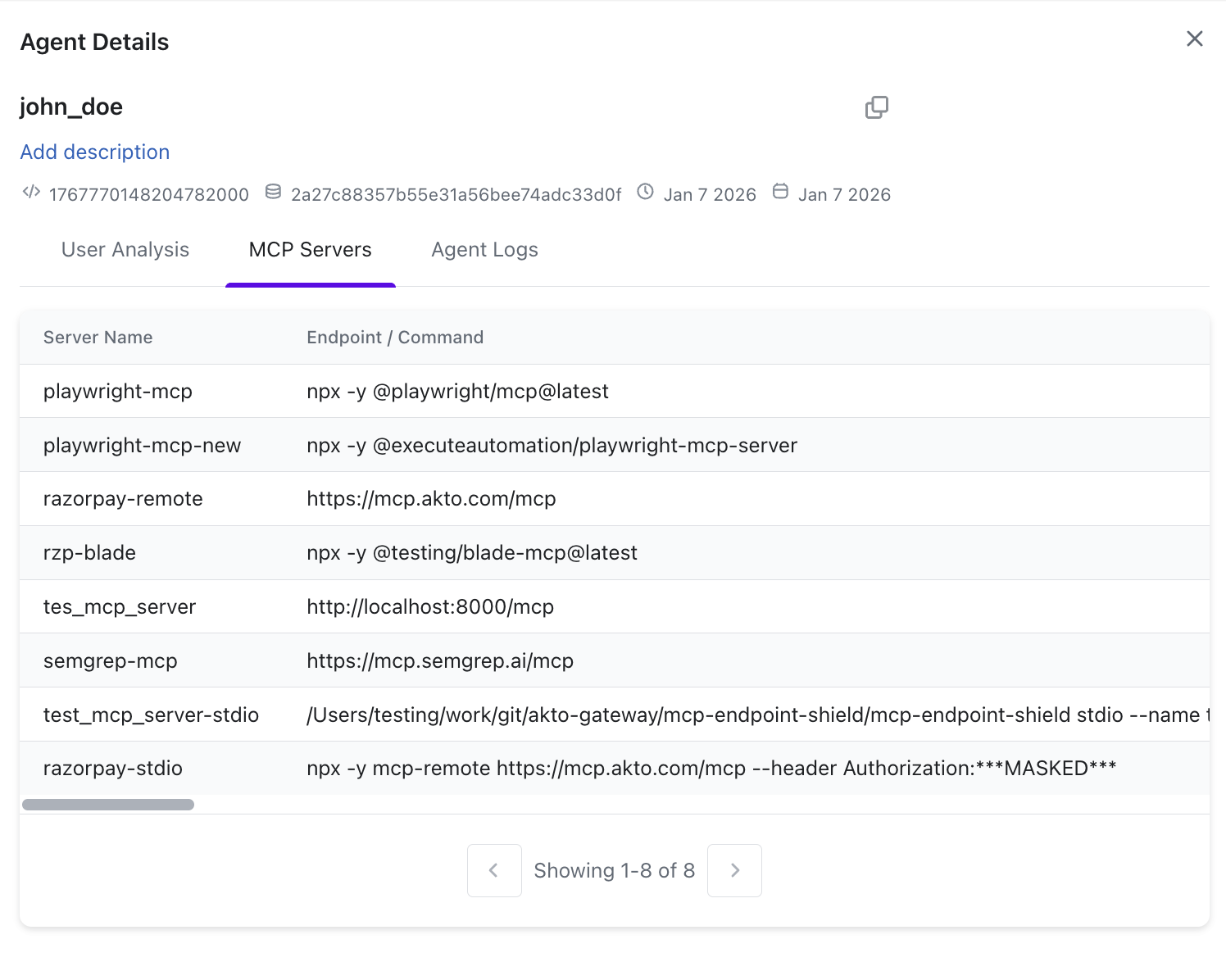
### MCP Servers
This tab shows you the MCP servers associated with the selected agent. You can review server details and the specific endpoints or commands that are shielded on that device.
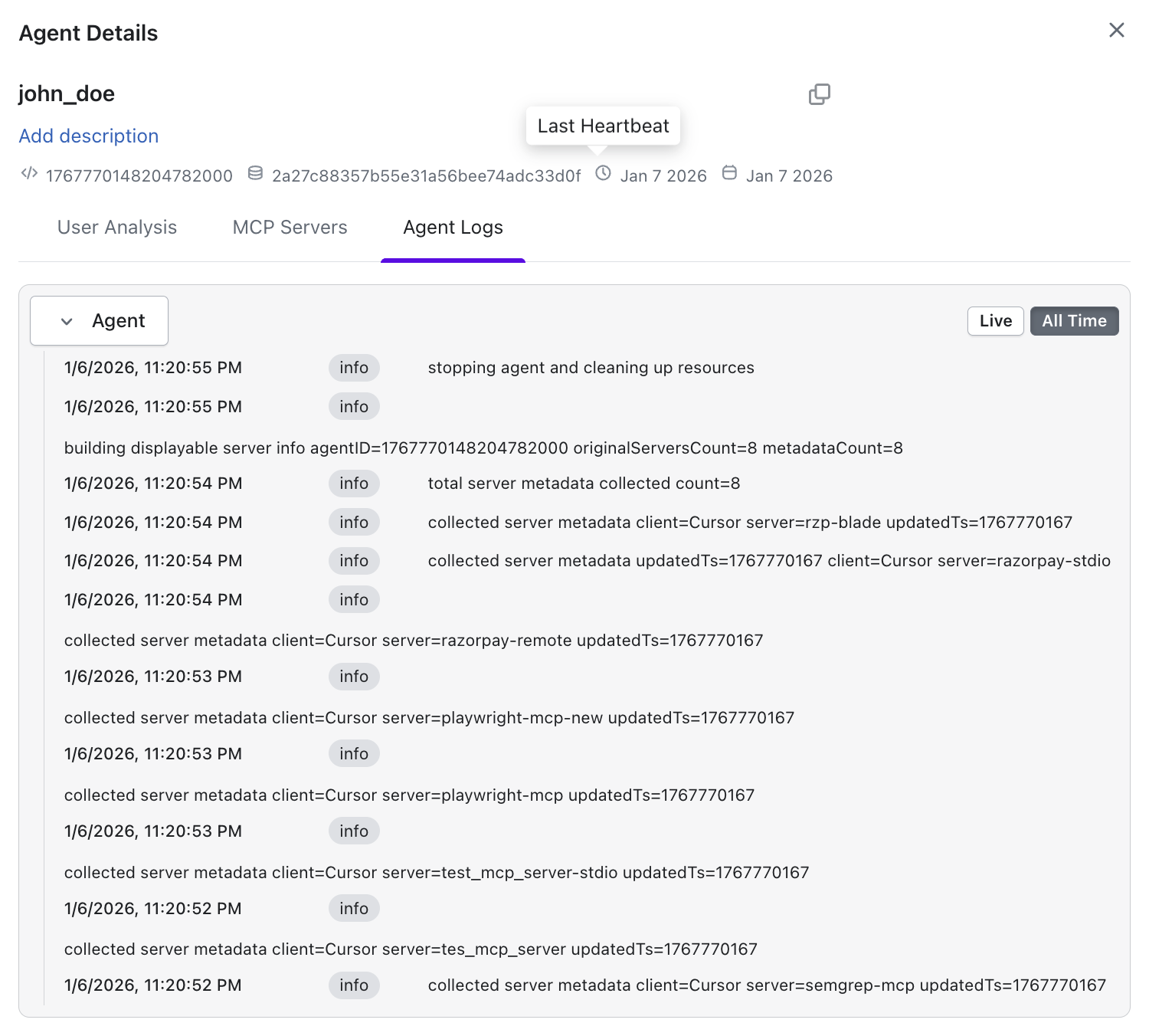
### Agent Logs
This tab provides a chronological log of the agent’s activity. You can track what the agent executed, when it checked in, and how enforcement behaved on that endpoint.
## Learn More
To understand how Endpoint Shield works at a conceptual level, including architecture, workflow, and protection mechanics, refer to the [**AI Endpoint Shield**](https://docs.akto.io/ai-endpoint-shield)**.**