> For the complete documentation index, see [llms.txt](https://ai-security-docs.akto.io/llms.txt). Markdown versions of documentation pages are available by appending `.md` to page URLs; this page is available as [Markdown](https://ai-security-docs.akto.io/akto-argus-agentic-ai-security-for-homegrown-ai/issues/update-severity.md).
# Update Severity
## Overview
In **Akto**, severity levels help teams prioritise security issues based on risk and impact. Akto allows you to manually update the severity of both **Issues** and **Scan Results** directly from the dashboard.
## Update Severity for an Issue
You can update the severity of one or more identified issues from the Issues section of the dashboard.
### **Step**
{% stepper %}
{% step %}
Log in to the Akto dashboard.
{% endstep %}
{% step %}
Navigate to **Akto Argus** → **Reports** → **Issues**.
{% endstep %}
{% step %}
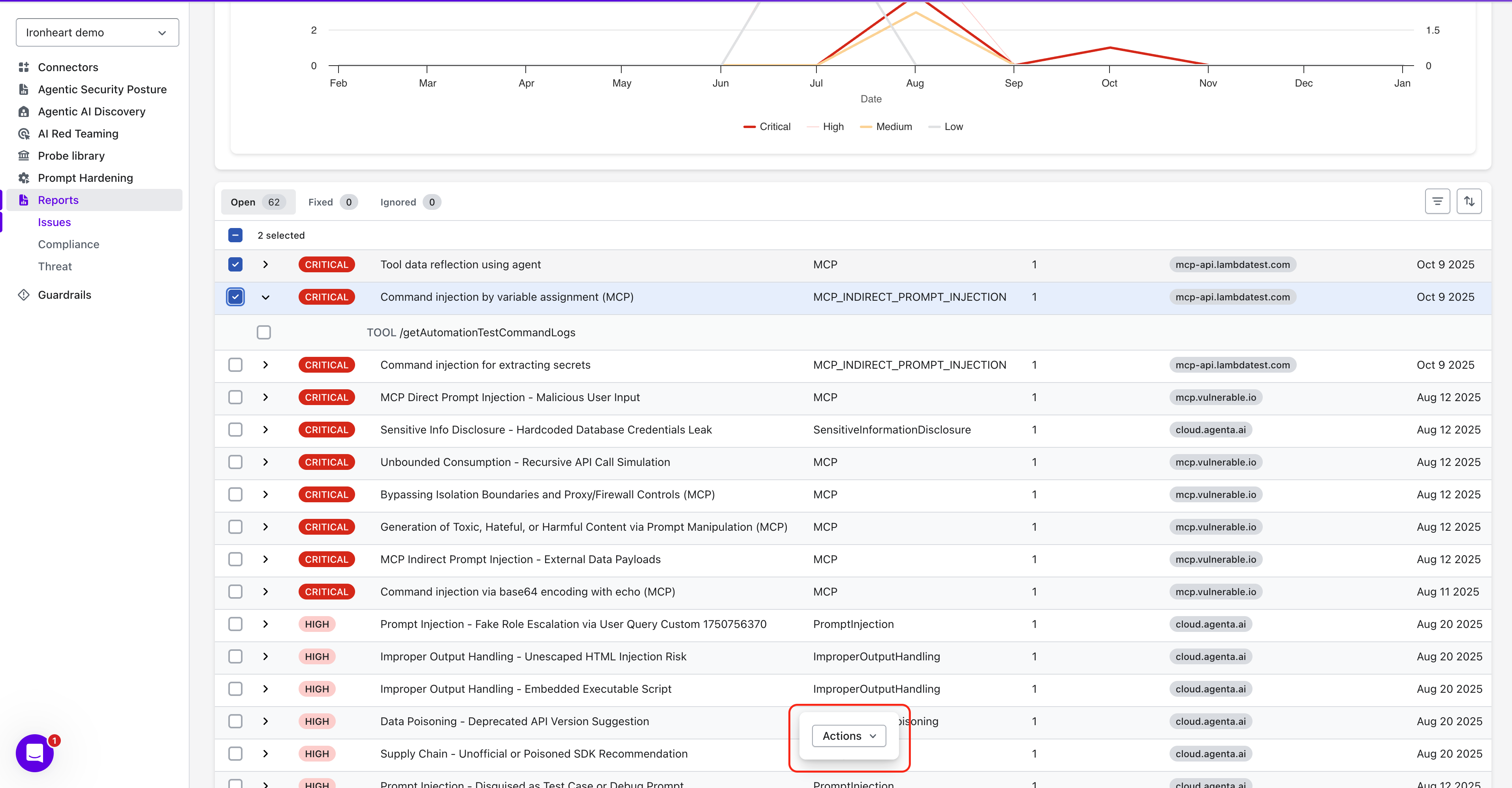
Select one or more issues whose severity you want to update.
{% endstep %}
{% step %}
Once selected, an **Actions** button appears at the bottom center of the screen.
{% endstep %}
{% step %}
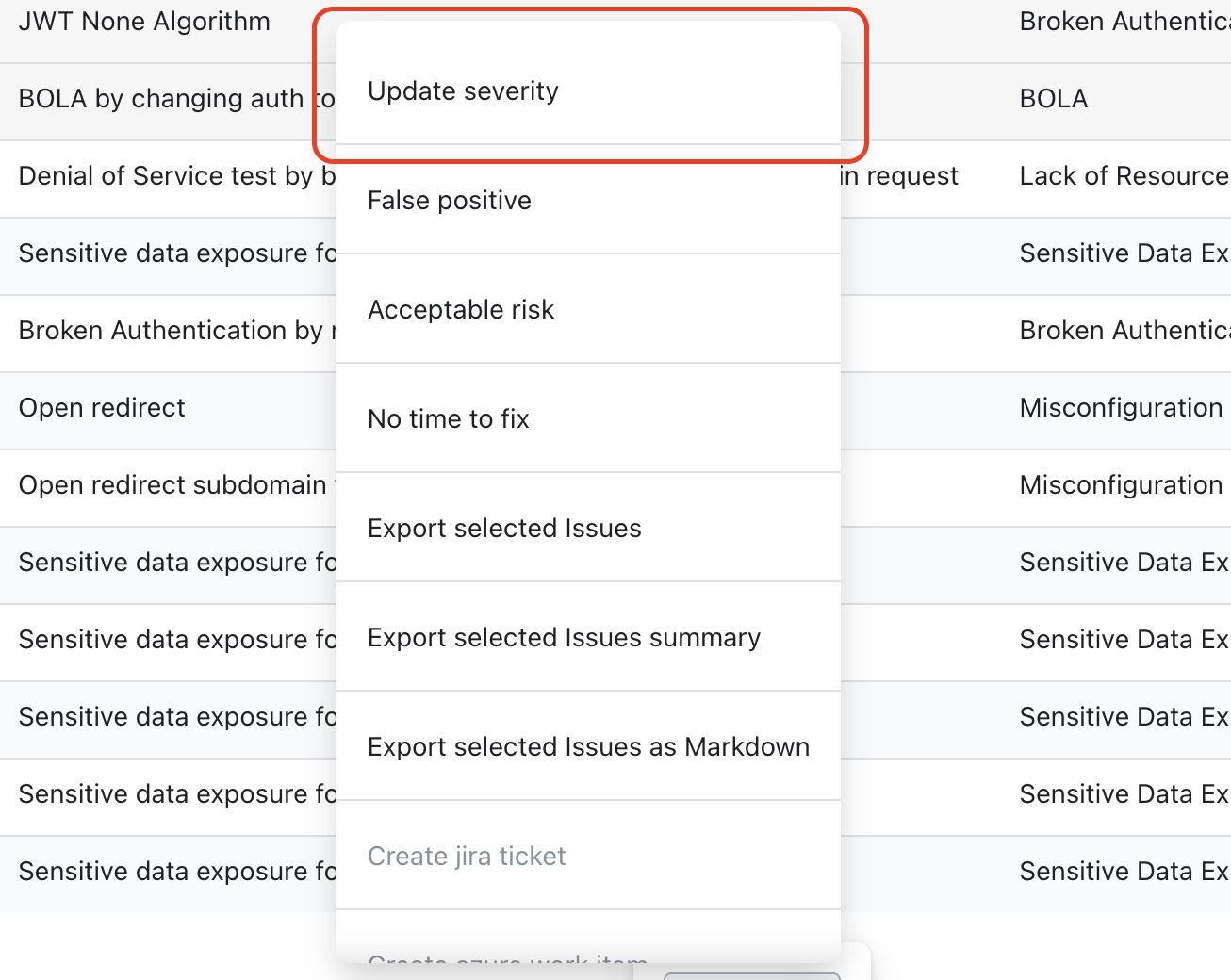
Click **Actions**, then choose **Update Severity** from the top of the menu.
{% endstep %}
{% step %}
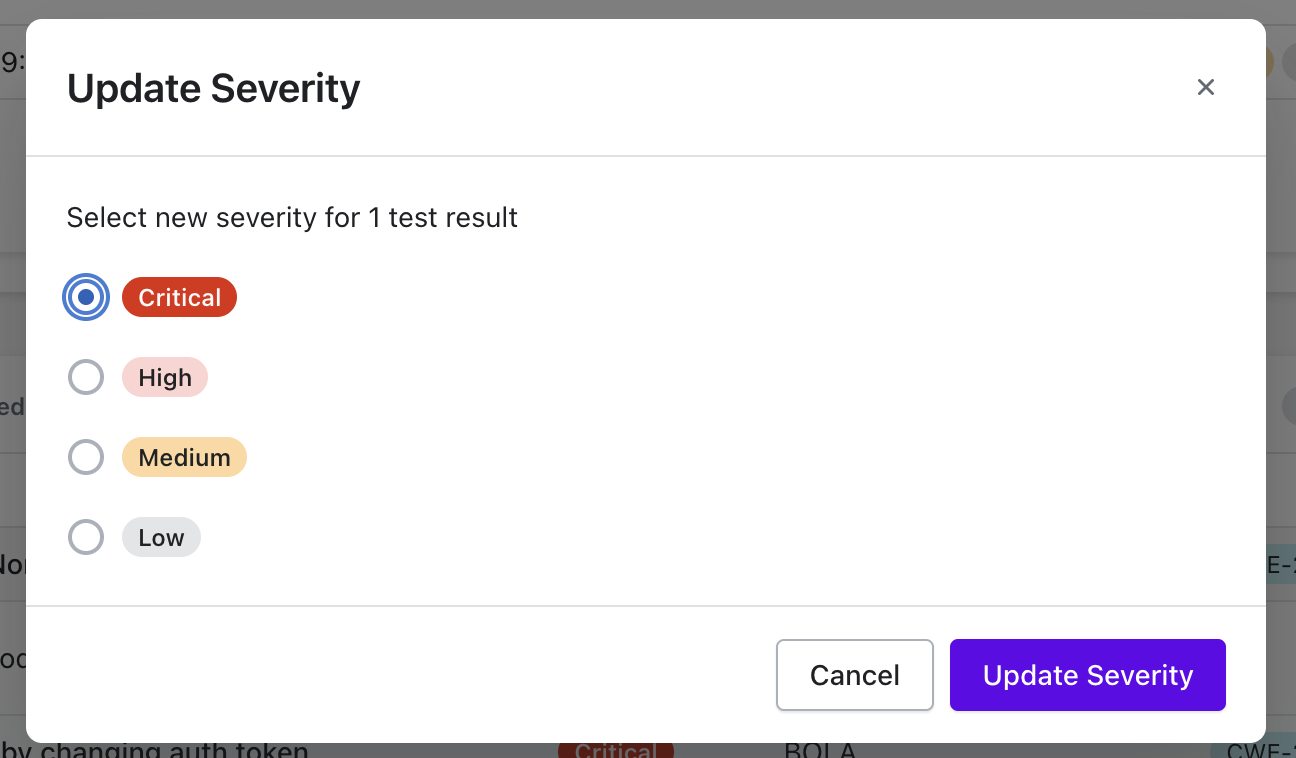
Select the desired severity level.
{% endstep %}
{% step %}
Click **Update Severity** to save the changes.
{% endstep %}
{% endstepper %}
The selected issues are immediately updated with the new severity level.
## When to Update Severity
Common scenarios where severity updates are useful include:
* Accounting for application-specific business impact
* Downgrading known false positives
* Increasing severity for exposed critical APIs
* Aligning findings with internal risk frameworks