> For the complete documentation index, see [llms.txt](https://ai-security-docs.akto.io/llms.txt). Markdown versions of documentation pages are available by appending `.md` to page URLs; this page is available as [Markdown](https://ai-security-docs.akto.io/akto-argus-agentic-ai-security-for-homegrown-ai/connectors/others/api-gateways/connect-akto-with-citrix.md).
# Connect Akto with Citrix
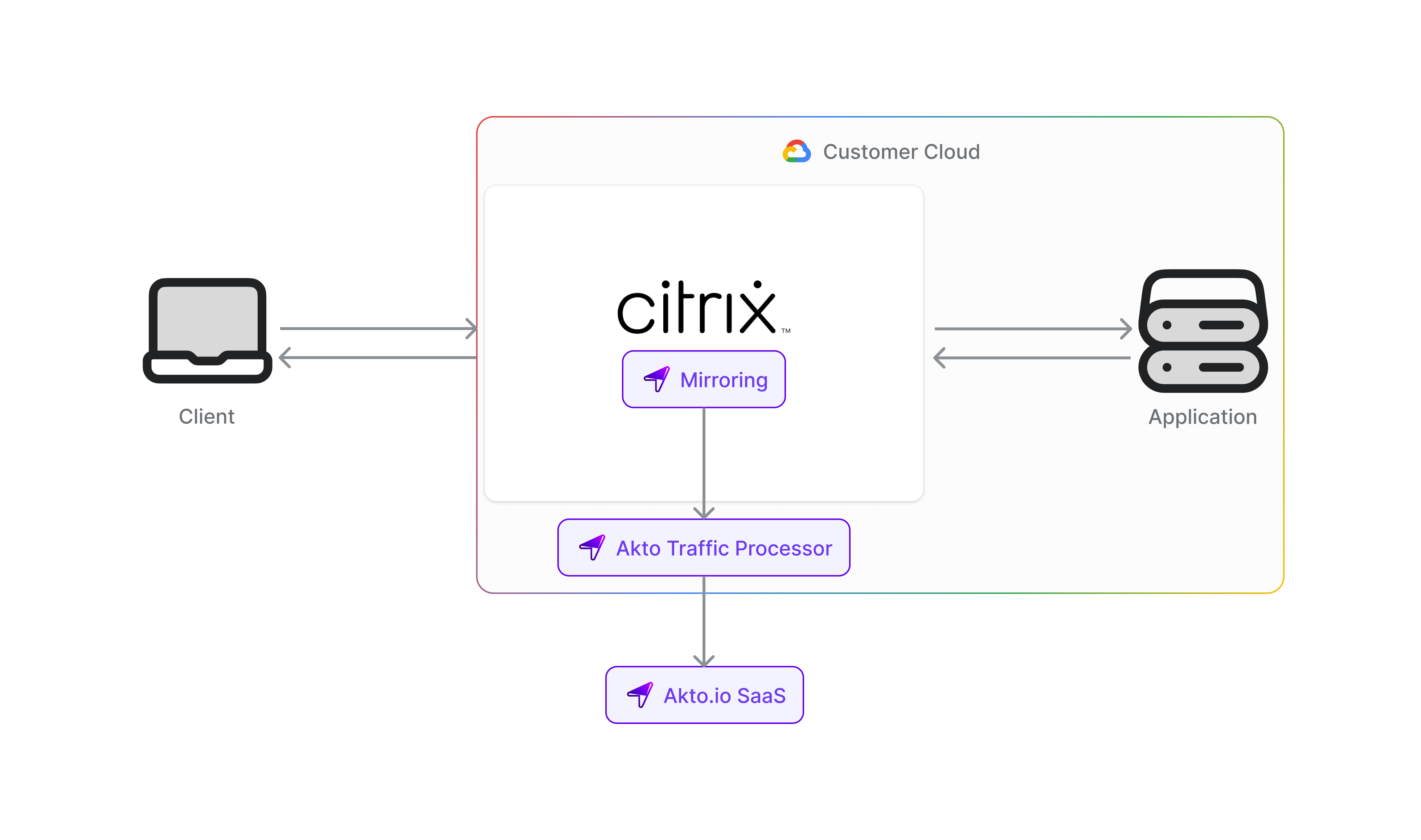
Citrix is a comprehensive application delivery and security solution that manages and optimizes application traffic across enterprise networks. Integrating Citrix with Akto enables automatic discovery and AI Red Teaming of all agentic components flowing through your Citrix infrastructure, ensuring consistent security monitoring across your application delivery network.
To connect Akto with Citrix Netscaler Gateway, follow these steps -
1. Set up and configure Akto Traffic Processor. The steps are mentioned [here](/akto-argus-agentic-ai-security-for-homegrown-ai/connectors/others/hybrid-saas.md).
2. Add Citrix Netscaler Gateway connector
1. Go to **Quick Start** in Akto Dashboard
2. Scroll to **Citrix** block and click on the **Connect** button to get instructions
To enable this premium connector for your account, please reach out to our team at for pricing and setup information.
%20(1)%20(1)%20(1)%20(1)%20(1).png?alt=media)