> For the complete documentation index, see [llms.txt](https://ai-security-docs.akto.io/llms.txt). Markdown versions of documentation pages are available by appending `.md` to page URLs; this page is available as [Markdown](https://ai-security-docs.akto.io/akto-argus-agentic-ai-security-for-homegrown-ai/agentic-red-teaming/concepts/severity-levels.md).
# Severity Levels
Akto classifies agentic security vulnerabilities into four severity levels to help teams prioritize remediation efforts. Each level indicates potential impact on your agentic system security posture.
## Critical Severity
Critical severity issues pose immediate risk and require urgent attention. These vulnerabilities could lead to unauthorized tool execution, system compromise, sensitive data exposure, or complete agent takeover.
Examples include successful prompt injections that bypass all guardrails, unauthorized access to critical tools, or hardcoded credentials in agent responses.
## High Severity
High severity issues indicate significant security risks requiring prompt remediation. While not immediately exploitable, these vulnerabilities can severely impact agent integrity and data security.
Examples include partial prompt injection success, improper output handling, or excessive tool permissions.
Akto classifies Agentic AI Security vulnerabilities into four severity levels to help teams prioritize their remediation efforts. Each level indicates the potential impact on your agentic AI security posture and guides response timing.
## Medium Severity
Medium severity issues represent moderate risks. These vulnerabilities might affect specific agent components or security controls, requiring planned remediation within standard development cycles.
Examples include information disclosure through error messages, supply chain vulnerabilities in dependencies, or inadequate input validation.
## Low Severity
Low severity findings indicate minor security concerns. While not immediate threats, they represent opportunities to strengthen security controls and should be addressed during regular maintenance.
Examples include verbose error messages, deprecated API usage, or minor configuration issues.
## Update Severity for a Scan Result
You can also update the severity of findings generated by a specific security scan run.
### **Steps**
{% stepper %}
{% step %}
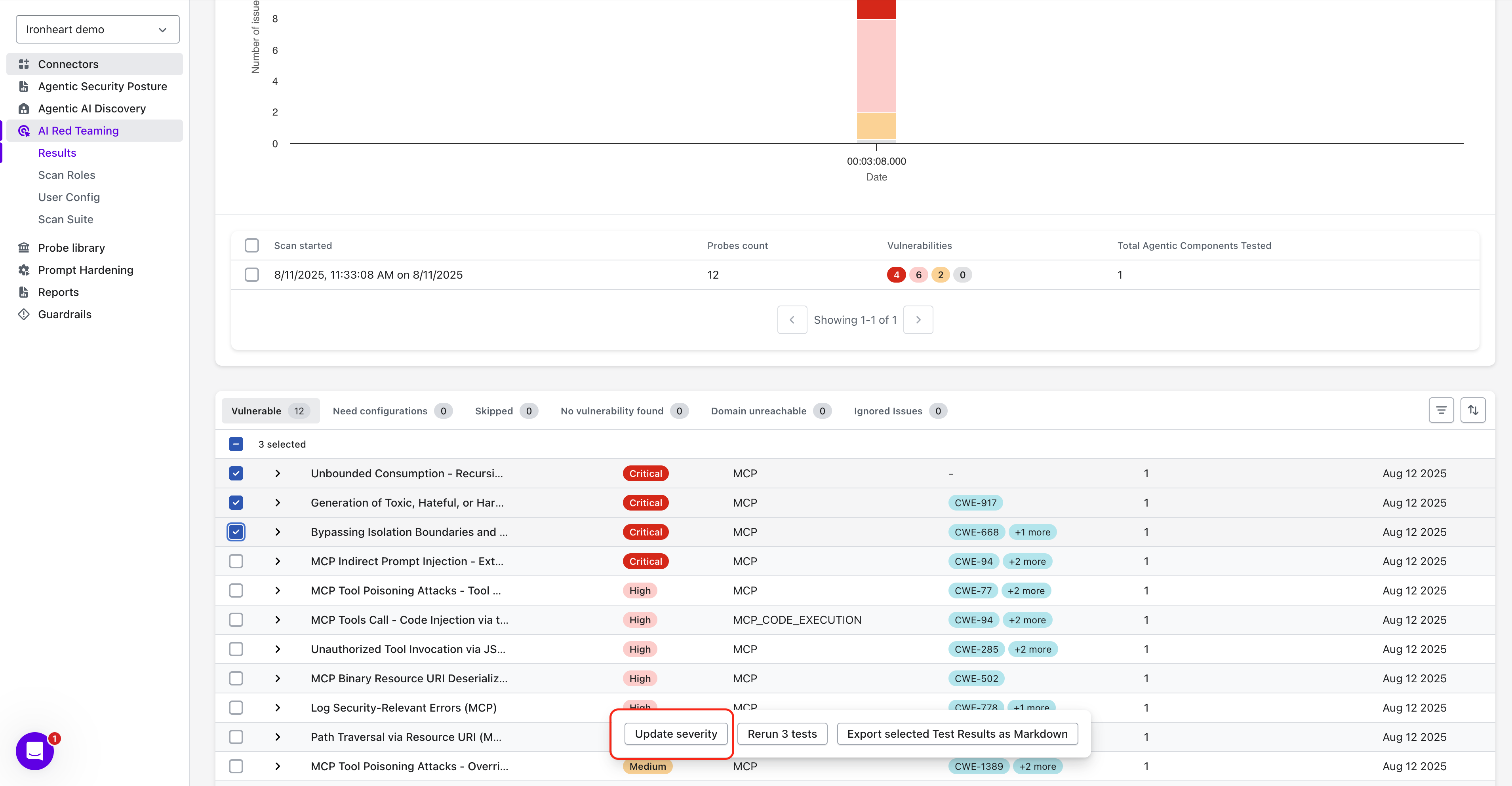
Navigate to **AI Red Teaming** → **Results**.
{% endstep %}
{% step %}
Open the preferred scan run.
{% endstep %}
{% step %}
Select one or more probe whose severity you want to update.
{% endstep %}
{% step %}
Once selected, the **Update Severity** option appears at the bottom center of the screen.
{% endstep %}
{% step %}
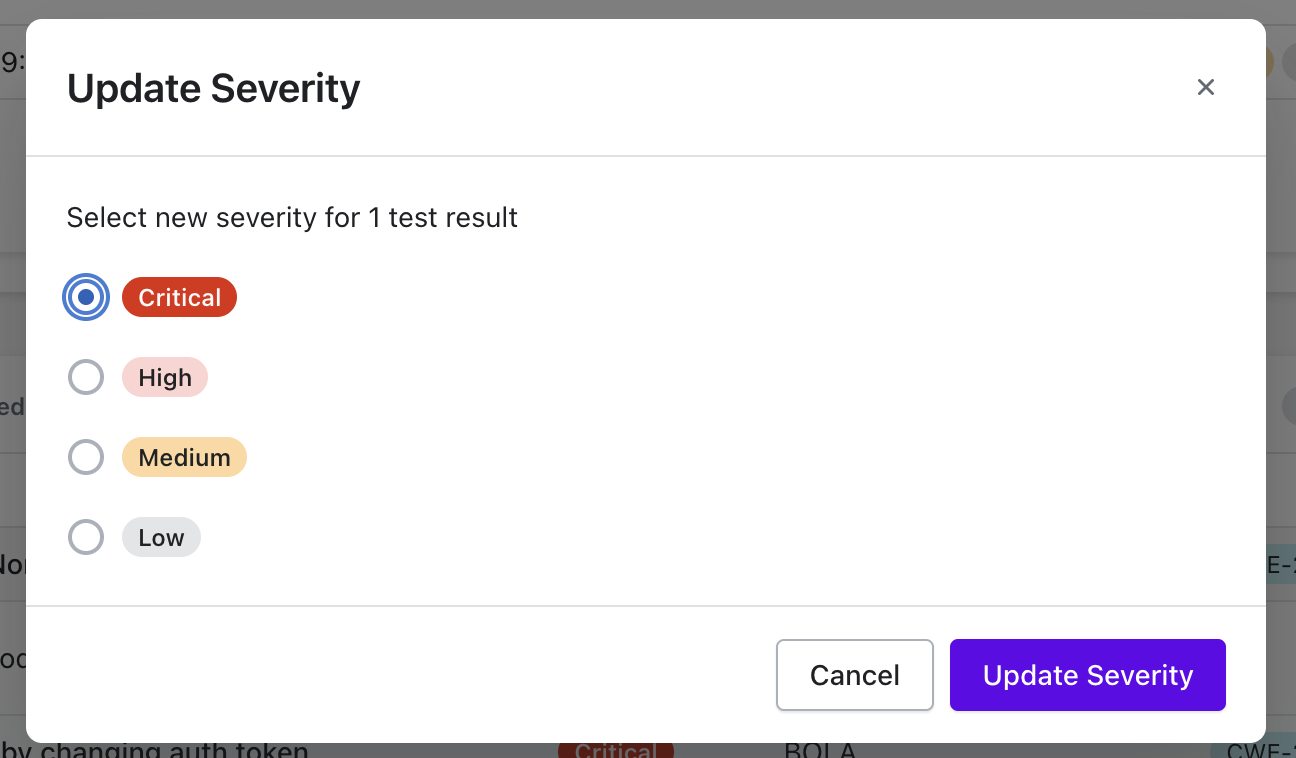
Choose the updated severity level.
{% endstep %}
{% step %}
Click **Update Severity** to save.
{% endstep %}
{% endstepper %}
{% hint style="warning" %}
**Note:** After a probe's severity is updated, all future results generated from that probe will automatically be marked with the newly assigned severity.
{% endhint %}