# Audit Data - Akto Argus

## Overview

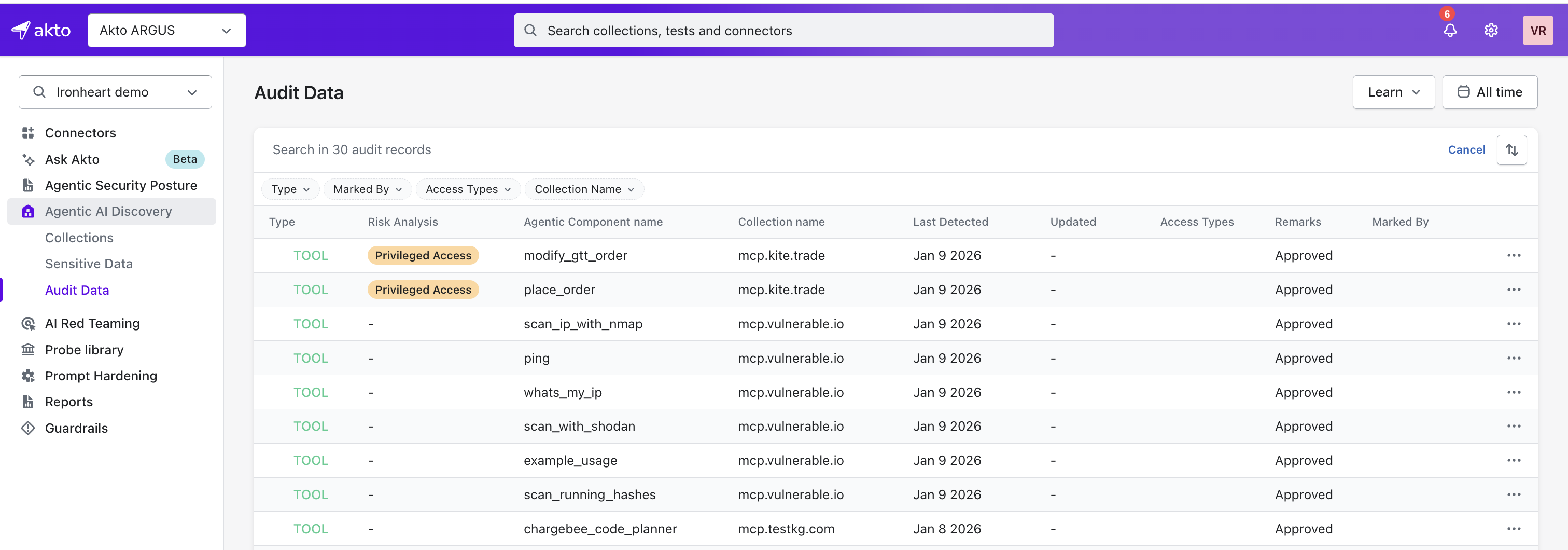
The **Audit Data** page lists all detected MCP components (Servers and Tools) and lets you control their access. You can approve, reject, or set conditional approval to control when, where, and how the component is allowed to run.

## Explore List

The table on the Audit Data page gives you full visibility into each component.

<details>

<summary>You will see the following details:</summary>

<table><thead><tr><th width="257.87890625">Column</th><th>What it tells you</th></tr></thead><tbody><tr><td><strong>Type</strong></td><td>Whether the component is a MCP Tool, Server, or Prompt.</td></tr><tr><td><strong>Risk Analysis</strong></td><td>The risk level associated with the component based on its behaviour and access patterns.</td></tr><tr><td><strong>Agent Component Name</strong></td><td>The name of the detected component.</td></tr><tr><td><strong>Collection Name</strong></td><td>The collection or group where you discovered the component.</td></tr><tr><td><strong>Last Detected</strong></td><td>When you last observed the component.</td></tr><tr><td><strong>Updated</strong></td><td>When the component details were last refreshed.</td></tr><tr><td><strong>Access Type</strong></td><td>Whether the component is Private, Public, Partner, or Third-party.</td></tr><tr><td><strong>Remarks</strong></td><td>The current status of the component: <strong>Approved</strong>, <strong>Pending</strong>, <strong>Rejected</strong>, or <strong>Conditionally Approved</strong>.</td></tr><tr><td><strong>Marked By</strong></td><td>The teammate who tagged or updated the entry.</td></tr><tr><td><strong>Actions</strong></td><td>Controls that let you approve, disapprove, or apply conditional approval.</td></tr></tbody></table>

</details>

<div data-with-frame="true"><figure><img src="/files/yL6HeXDKE3zkliKgDmeh" alt="" width="563"><figcaption></figcaption></figure></div>

## Actions You Can Take

From the actions dropdown at the end of each row, you decide how Akto should treat the component:

* **Approve** – You trust the component and want it to run with reduced guardrails.
* **Disapprove** – You want to block the component entirely.
* **Set Conditional Approval** – You want to allow the component, but only within limits you define.

  <figure><img src="/files/IK3X1APrvuDcMd92UETs" alt="" width="563"><figcaption></figcaption></figure>

## Setting Conditional Approval

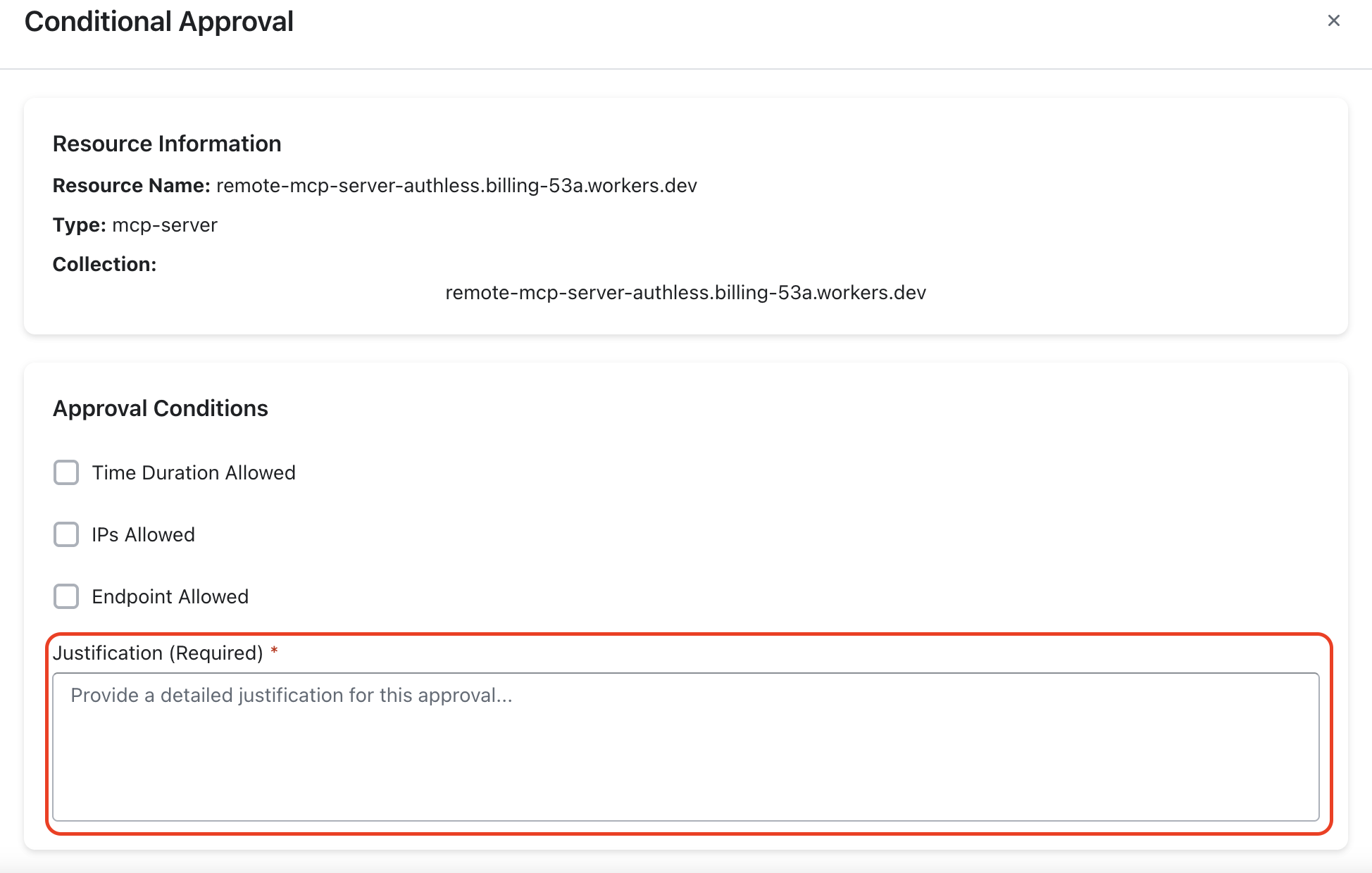
If you choose **Conditional Approval**, you can set clear boundaries for how the component is allowed to operate. The following components can be set:

{% tabs %}
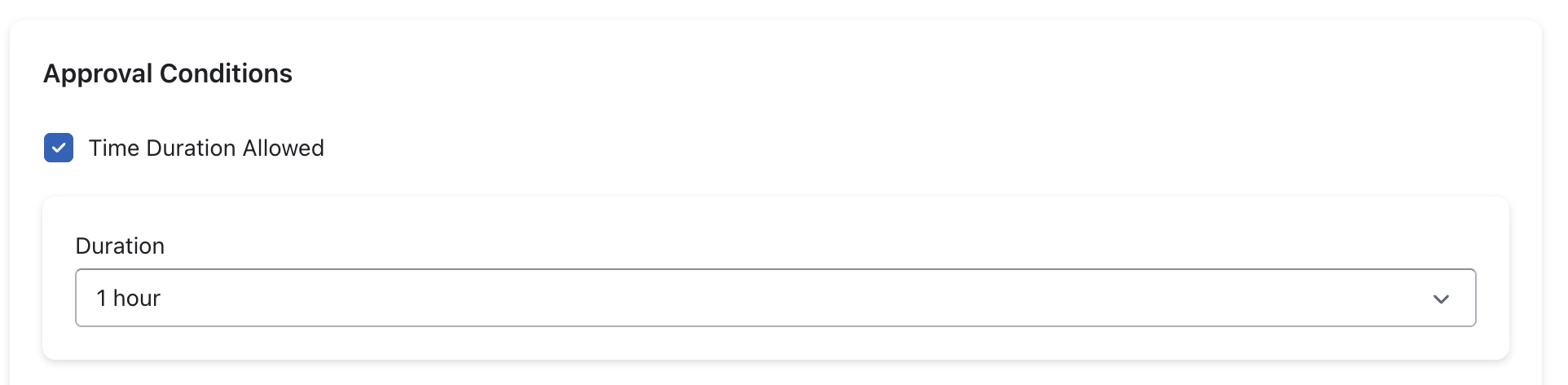
{% tab title="Time Duration Allowed" %}
You define how long the component can remain active. Once the duration expires, Akto automatically blocks it.

<figure><img src="/files/APWBNfkFhGC3mh6IYUCI" alt="" width="563"><figcaption></figcaption></figure>
{% endtab %}

{% tab title="IPs Allowed" %}
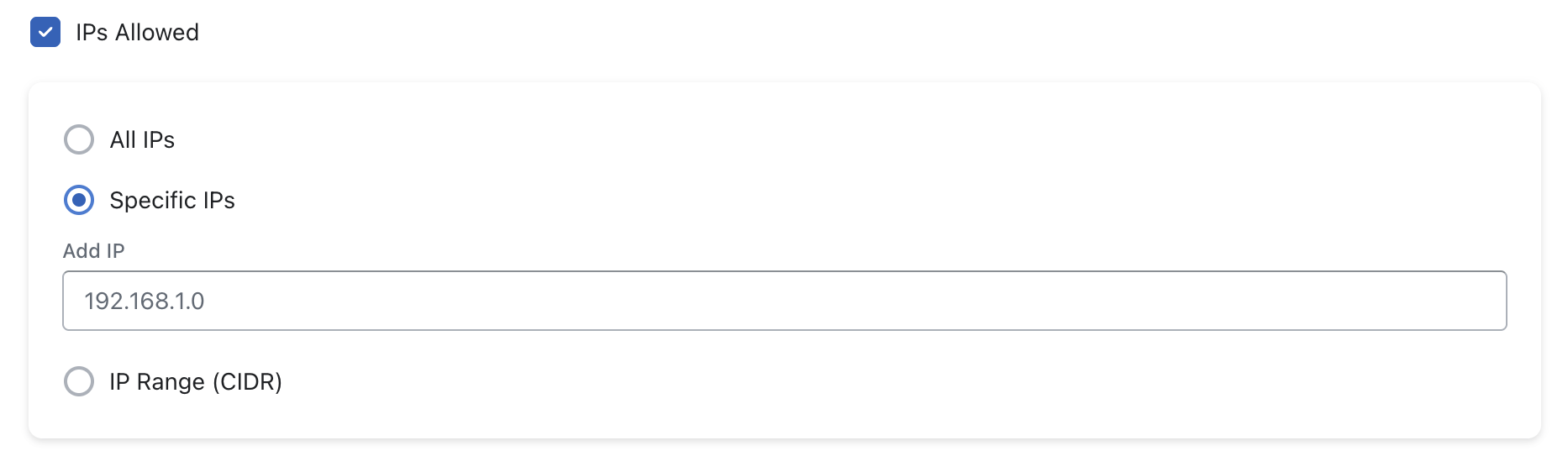
You control where the component can be used from. You can allow:

* All IPs
* Specific IPs
* An IP range (CIDR)

<figure><img src="/files/yUBw2lemN61KeRwiMJC2" alt="" width="563"><figcaption></figcaption></figure>
{% endtab %}

{% tab title="Endpoints Allowed" %}
You choose which endpoints the component can access.

<figure><img src="/files/aIs0tgWoA45W324EVK5a" alt="" width="563"><figcaption></figcaption></figure>
{% endtab %}

{% tab title="Justification" %}
You add a mandatory justification so your team understands why you approved the component with conditions.

<figure><img src="/files/5QdmyOZUNeAz1fn1wpve" alt="" width="563"><figcaption></figcaption></figure>
{% endtab %}
{% endtabs %}

After configuring everything, click **Approve with Conditions** to enforce the restricted access.


---

# Agent Instructions: Querying This Documentation

If you need additional information that is not directly available in this page, you can query the documentation dynamically by asking a question.

Perform an HTTP GET request on the current page URL with the `ask` query parameter:

```
GET https://ai-security-docs.akto.io/akto-argus-agentic-ai-security-for-homegrown-ai/agentic-ai-discovery/concepts/audit-data.md?ask=<question>
```

The question should be specific, self-contained, and written in natural language.
The response will contain a direct answer to the question and relevant excerpts and sources from the documentation.

Use this mechanism when the answer is not explicitly present in the current page, you need clarification or additional context, or you want to retrieve related documentation sections.