> For the complete documentation index, see [llms.txt](https://ai-security-docs.akto.io/llms.txt). Markdown versions of documentation pages are available by appending `.md` to page URLs; this page is available as [Markdown](https://ai-security-docs.akto.io/agentic-guardrails/how-to/export-activity-to-custom-webhook.md).
# Export Activity to Custom Webhook
## Overview
Akto allows you to forward guardrail activity events to an external system through a webhook endpoint. Webhook export helps enterprise security teams integrate guardrail violations and policy activity with SIEM platforms, monitoring pipelines, or internal security automation workflows.
Akto sends guardrail activity data in batches every **15 minutes** to the configured webhook endpoint.
### Steps to Configure Webhook Export
{% stepper %}
{% step %}
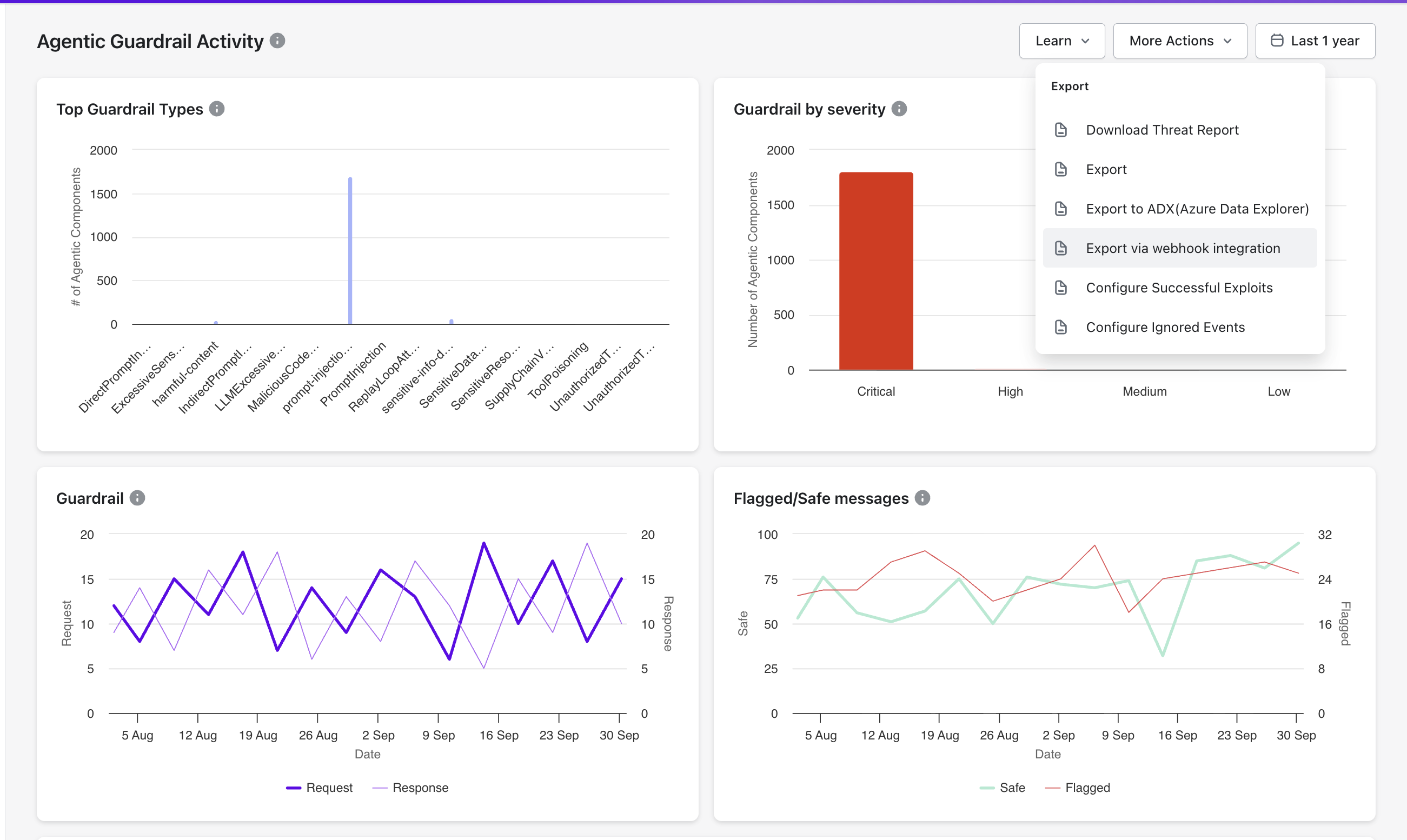
Navigate to **Guardrail Activity** in the Akto dashboard.
{% endstep %}
{% step %}
Select **More Actions** in the top-right corner.
{% endstep %}
{% step %}
Select **Export via webhook integration**.
{% endstep %}
{% step %}
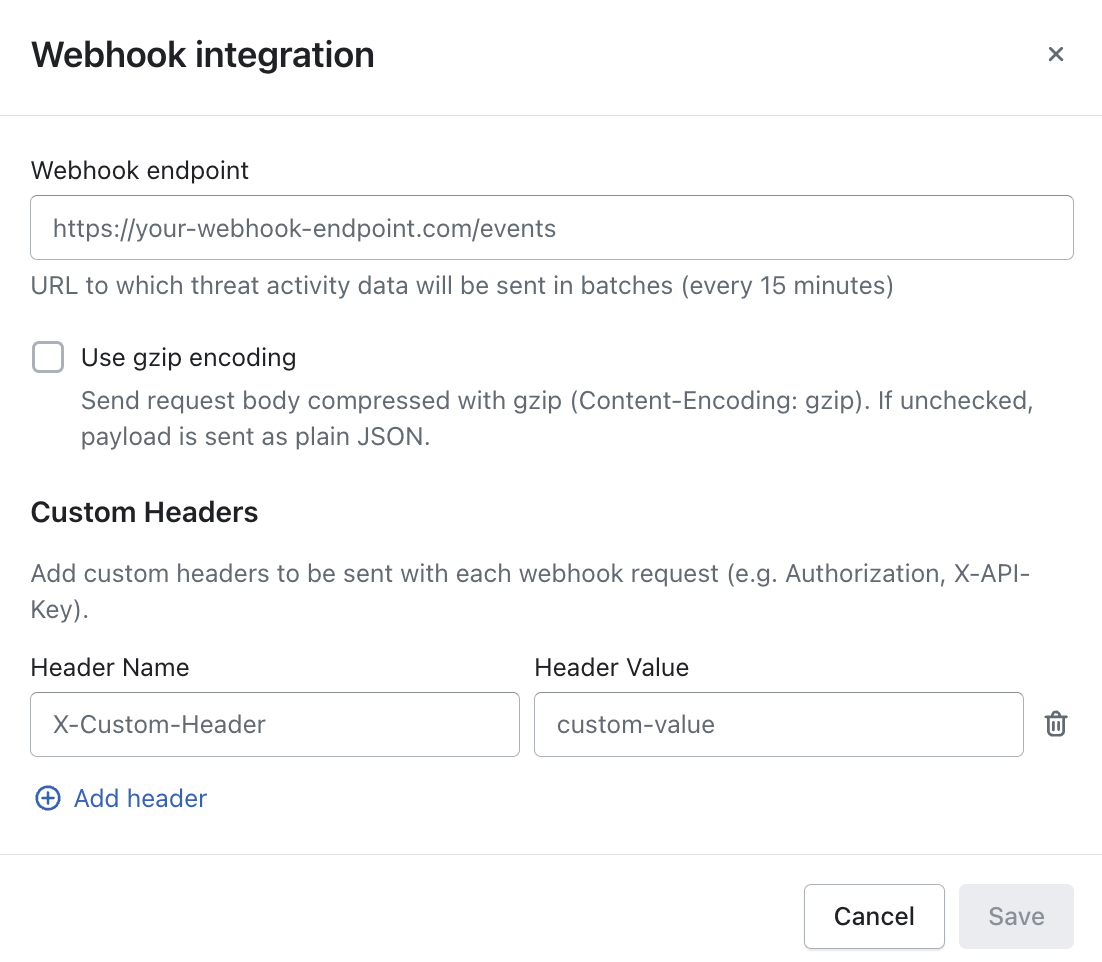
Enter the **Webhook endpoint URL** where the external system receives guardrail activity events.\
Example:\
`https://your-webhook-endpoint.com/events`
{% endstep %}
{% step %}
Enable **Use gzip encoding** when the receiving system expects compressed payloads with the header `Content-Encoding: gzip`.
{% hint style="info" %}
Leave the option disabled when the receiving system expects standard JSON payloads.
{% endhint %}
{% endstep %}
{% step %}
Add **Custom Headers** when the receiving service requires authentication or routing metadata.\
Common examples include `Authorization` headers or `X-API-Key` headers.
{% endstep %}
{% step %}
Select **Save** to activate the webhook integration.
{% endstep %}
{% endstepper %}
Akto begins sending batched guardrail activity events to the configured webhook endpoint every **15 minutes** after configuration is saved.
### Result of Webhook Integration
Configured webhook integration allows security teams to stream Guardrail activity into external systems such as:
* SIEM platforms
* Security automation pipelines
* Incident response tooling
Webhook export ensures external monitoring platforms receive guardrail activity data without manual exports.